Enabling a Ticker on Your Website
Last updated: July 13, 2025
This document provides a detailed process to enable a ticker on your website. Follow these step-by-step instructions to effectively add and customize a ticker to enhance your site's interactivity and user engagement.
Step 1
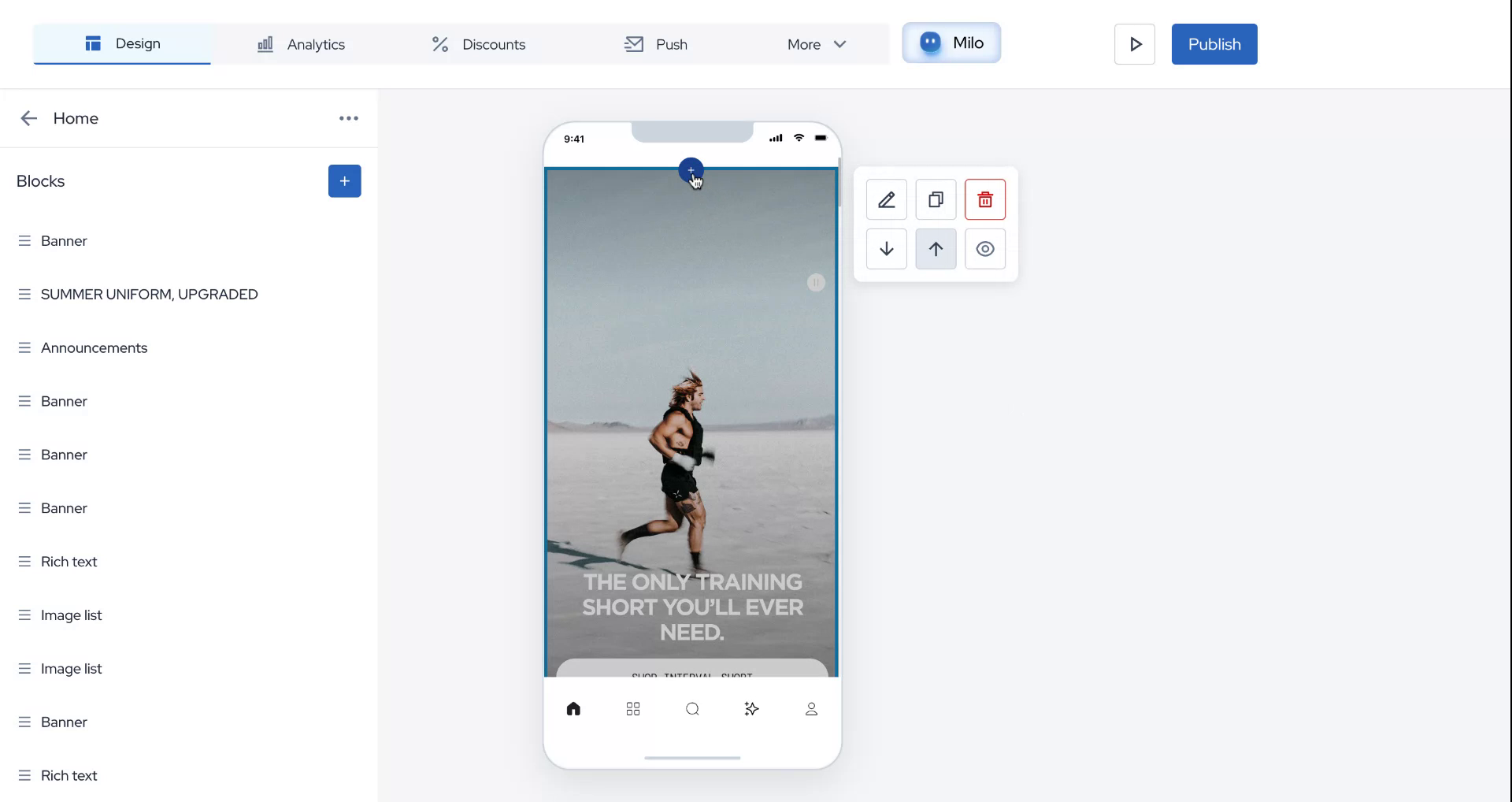
Begin by hovering your mouse over the block where you wish to enable a ticker. Click on the plus icon that appears and select the option for the ticker.
Step 2
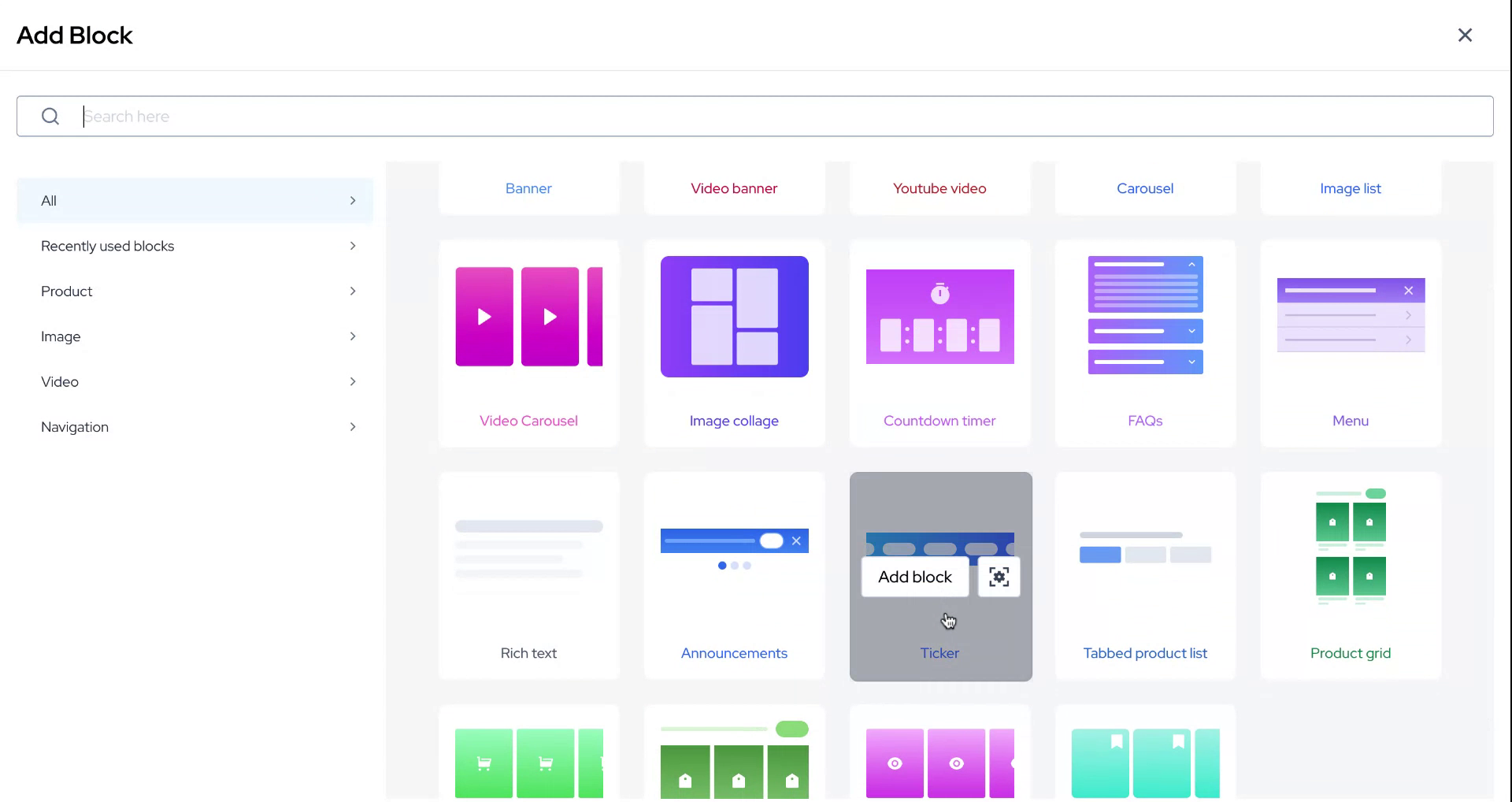
After selecting the ticker option, proceed by clicking on "Add Block."
Step 3
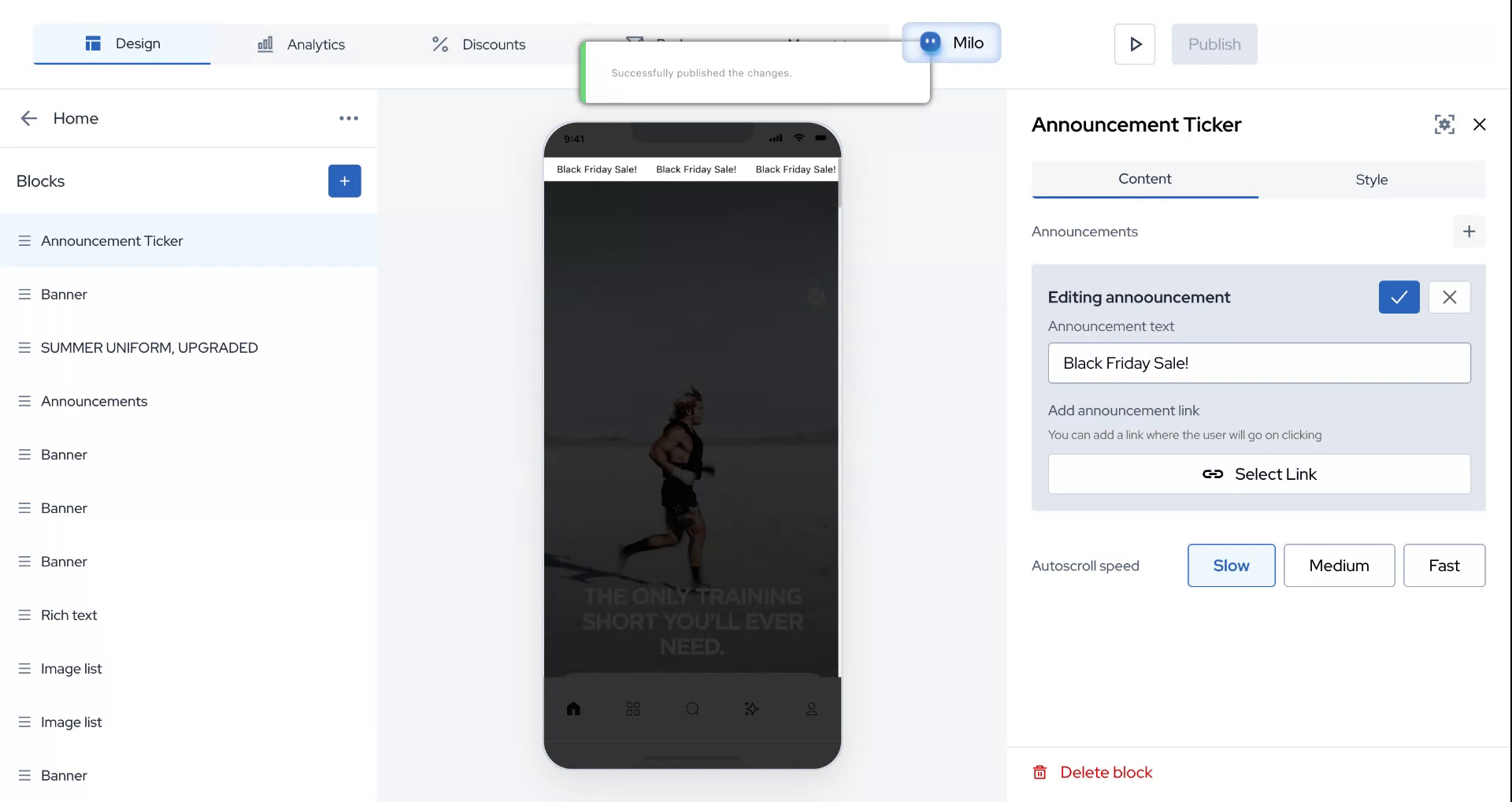
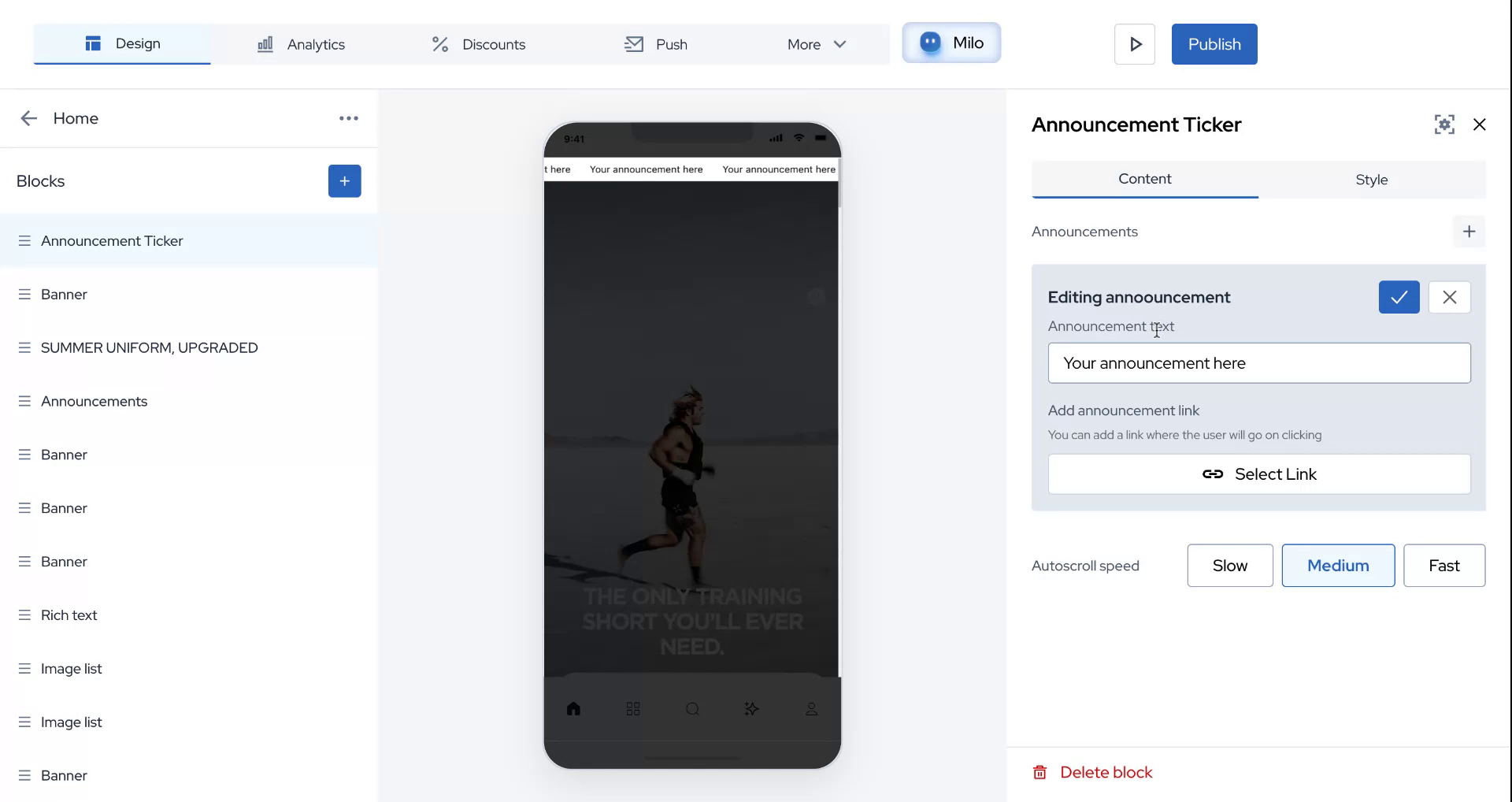
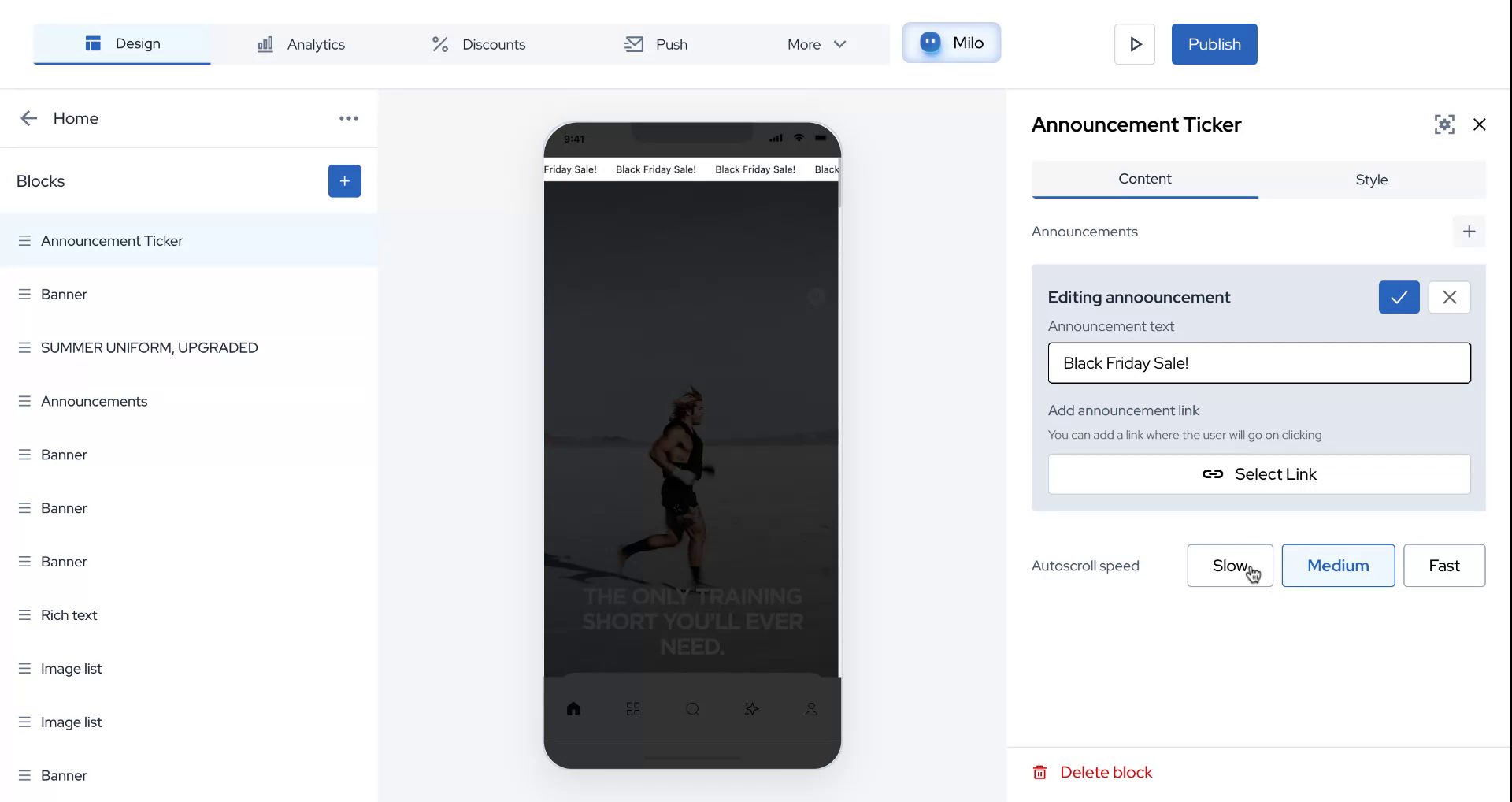
Next, you will have two options to choose from: content and style. For content, focus on crafting an attractive ticker message. For example, edit it to say "Black Friday Sale."
Step 4
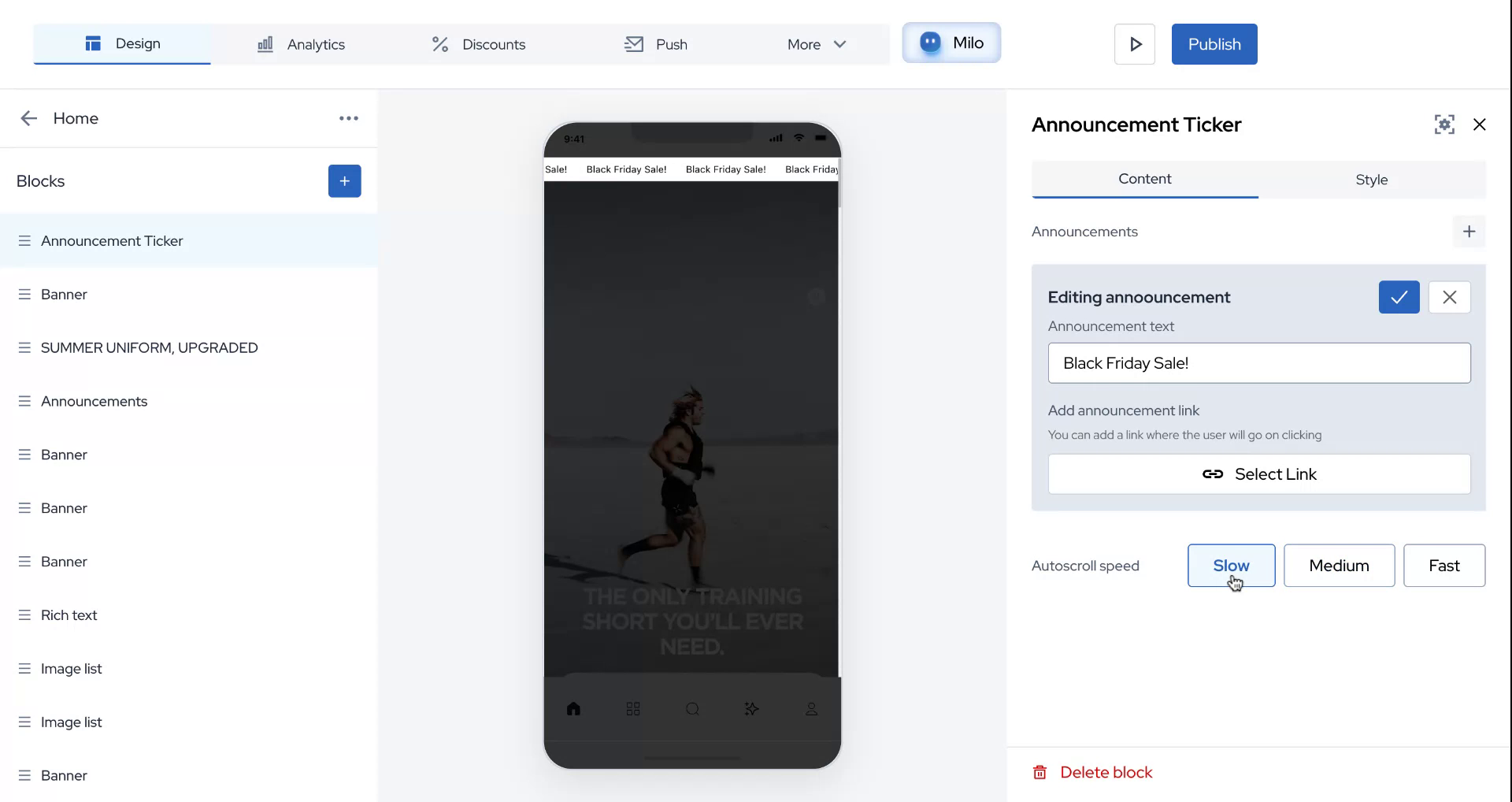
Select a link that users will be redirected to when they click on the ticker. You can choose the ticker speed from three options: slow, medium, and fast. For this demonstration, select "slow."
Step 5
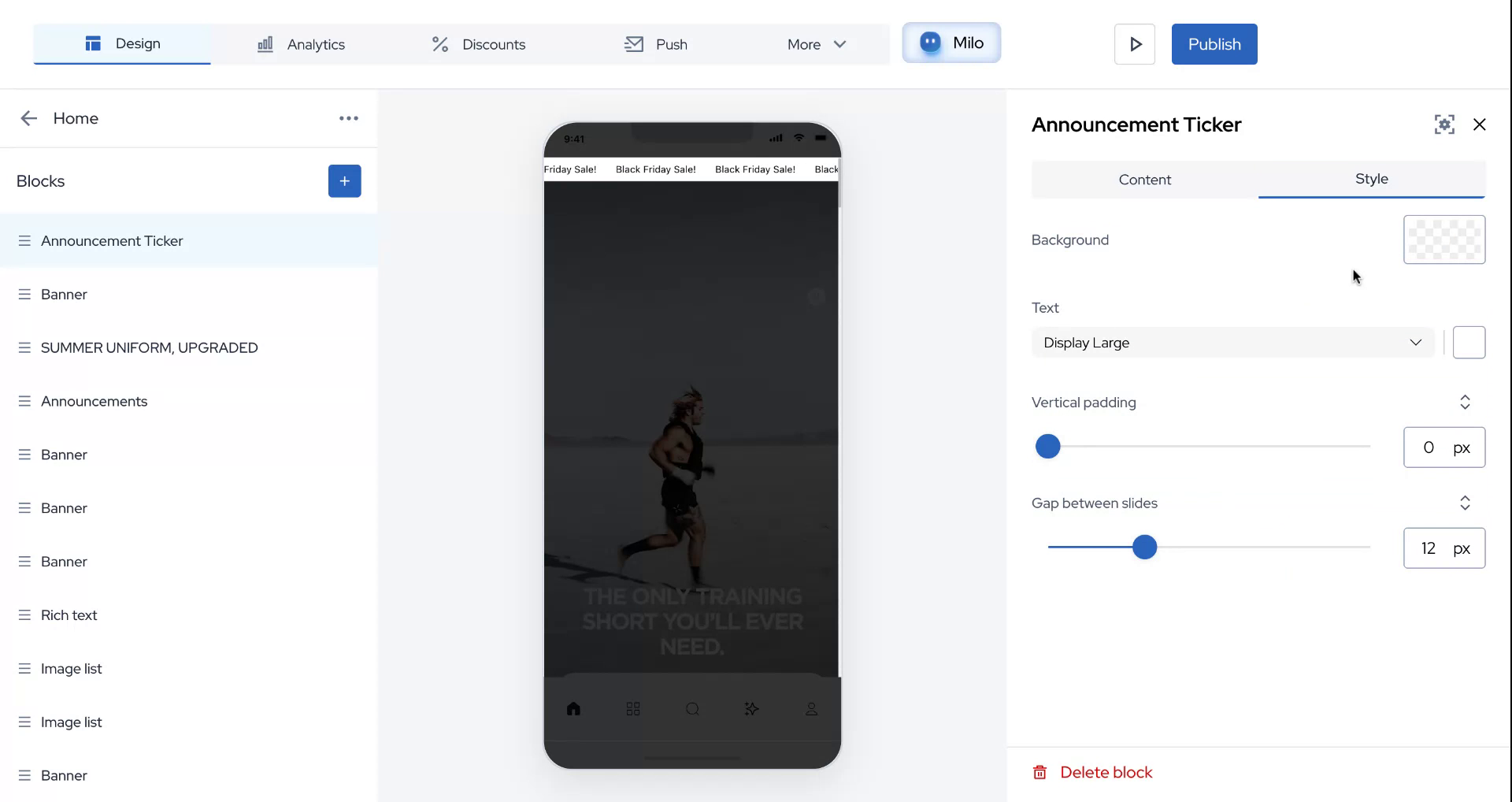
Explore the styling options to select the background color and text size according to your preference.
Step 6
Once you are satisfied with the content and styling, click on "Publish" to make the changes live.
Step 7
We hope you found this information helpful. Thank you for your time and attention.