Enabling Push Notifications for Restocked Items
Last updated: July 10, 2025
This document provides a step-by-step approach to enable push notifications for items back in stock. By following these instructions, you can ensure that users are promptly informed when a product they are interested in is replenished.
Step 1
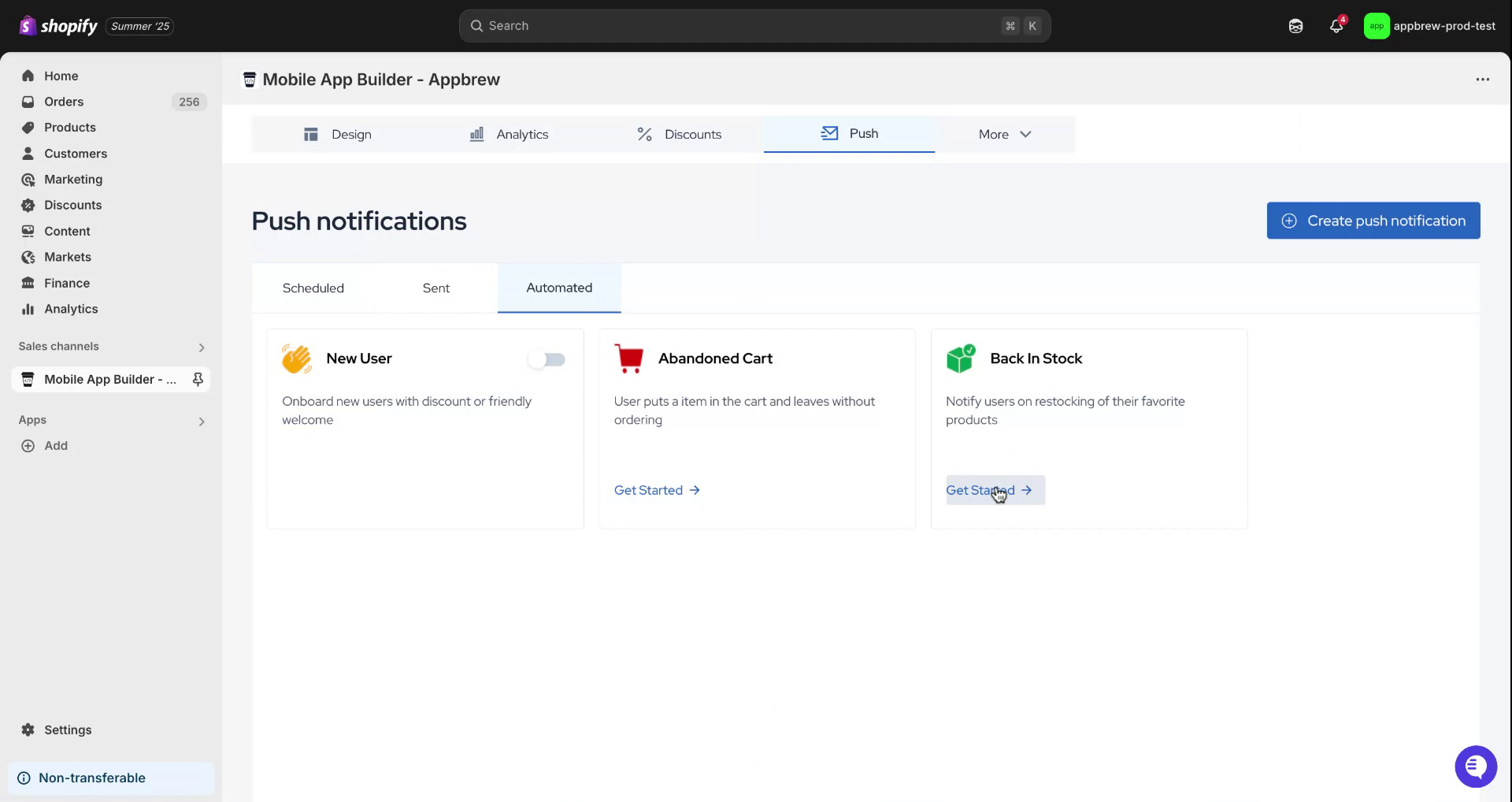
Begin by locating the push icon and hovering over it. Click on the icon and then select the "Automated" option. Subsequently, navigate to the "Back in Stock" option and click on "Get Started."
Step 2
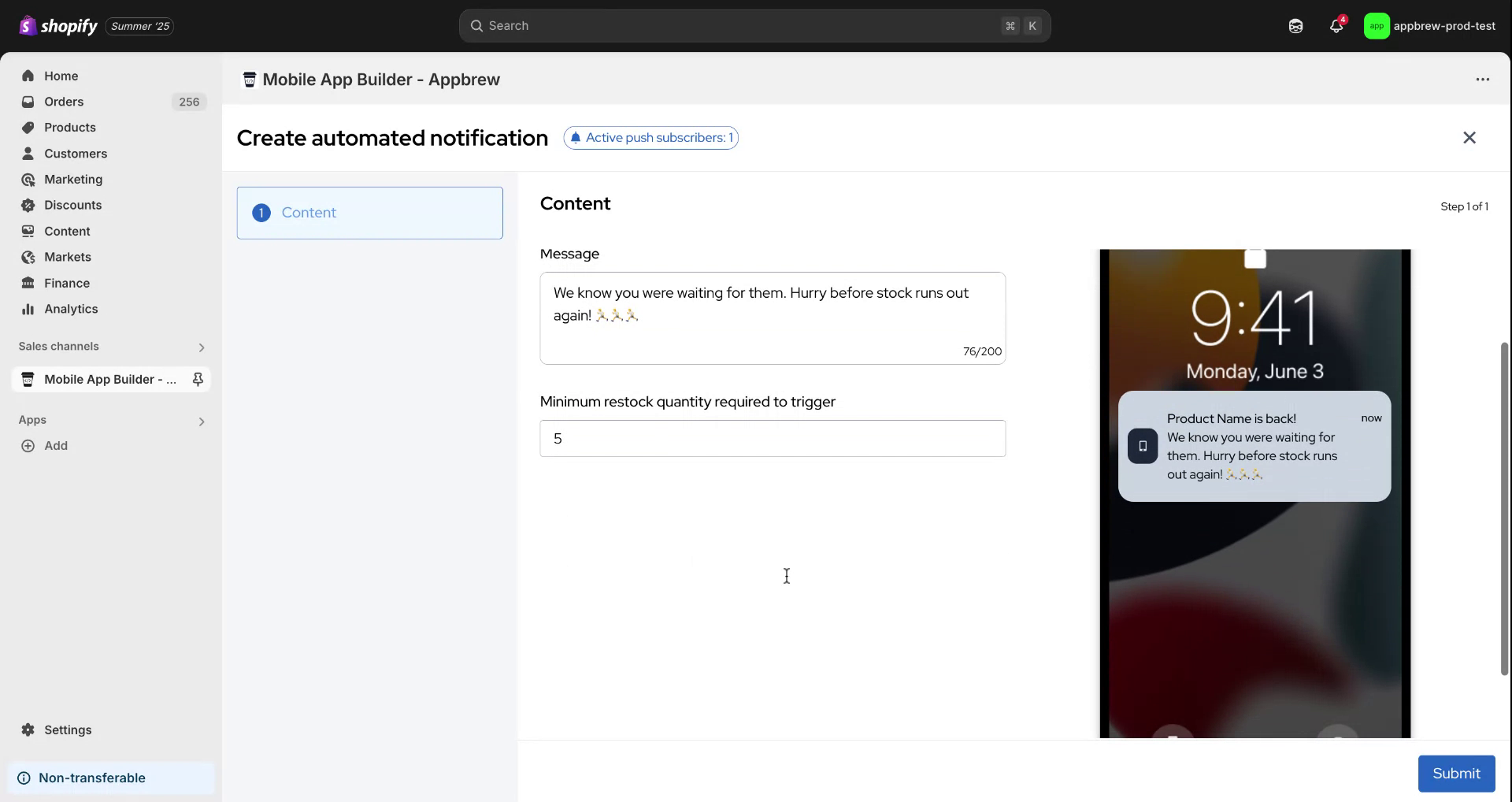
Afterward, you'll notice some pre-filled information available. Input the product name you wish to feature in the push notification. Next, compose the message that will captivate the users’ attention. Additionally, choose the minimum restock quantity required for the notification to be dispatched.
Step 3
The system will automatically dispatch a notification once the stock is depleted. Finally, click on "Submit" to complete the process.
