Create a Firebase account (Google Analytics)
Last updated: October 7, 2025
Step 1 - Create Project
Go to https://console.firebase.google.com and create a project

Enter the name of your project
Step 2 - Give Appbrew the access to Firebase
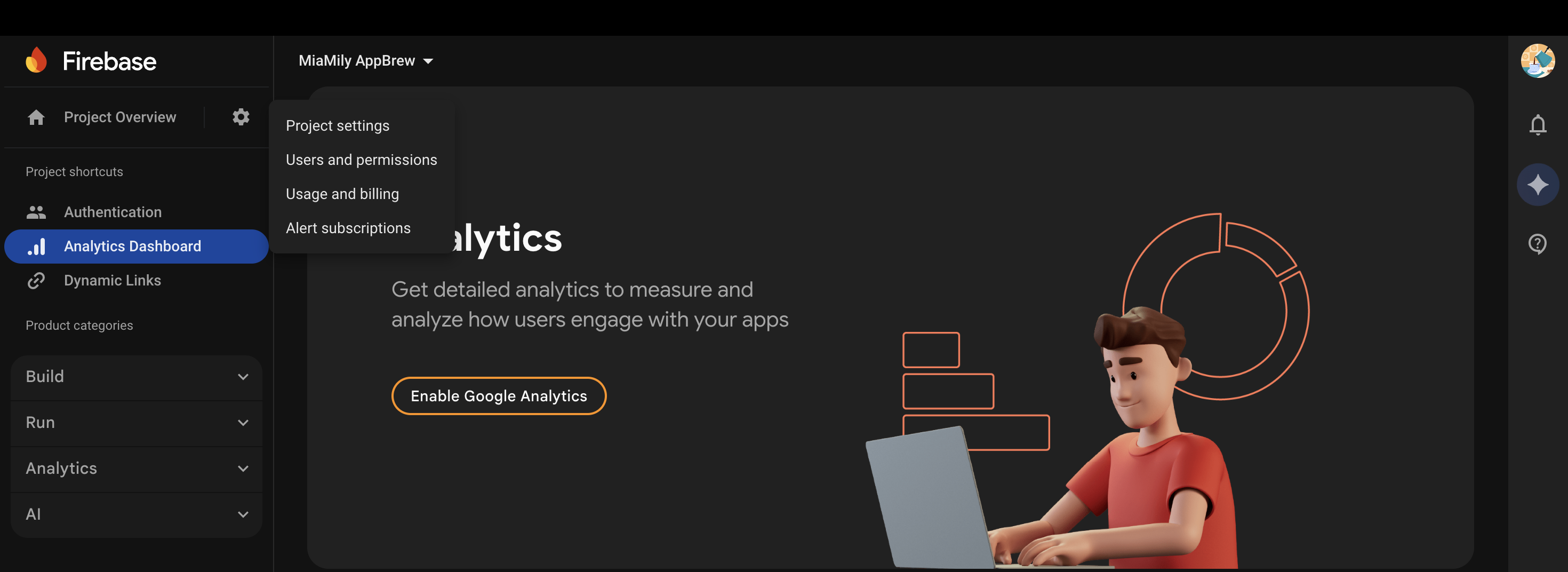
Go to Project Overview and click on Users and Permissions
Click on "Add member" and add apps@appbrew.tech
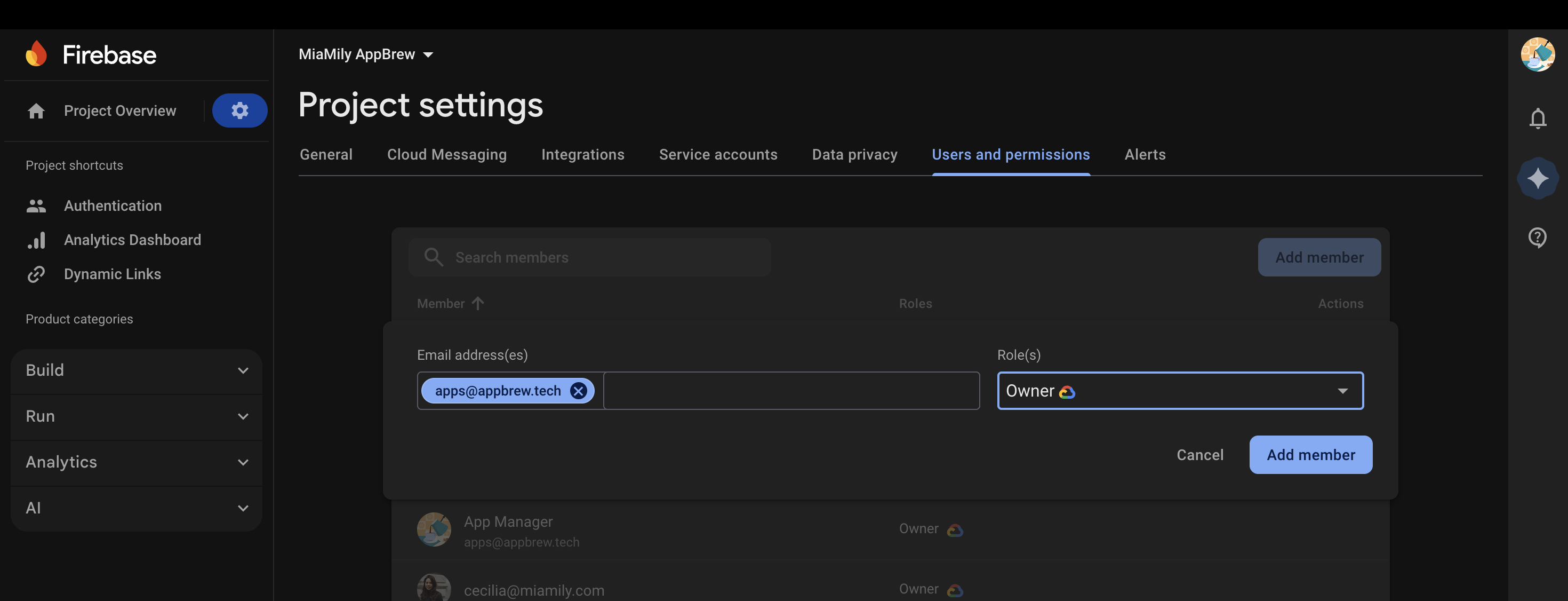
Click on "Add member" button to complete the process!