Creating user segments in Klaviyo
Last updated: May 28, 2026
User segments in Klaviyo allow merchants to group customers based on shared behaviors, attributes, or engagement history. These segments update dynamically as users interact with your app and other channels (email, SMS, push).
With mobile app integration, you can create segments based on:
Push notification opt-in status (e.g., subscribed to push)
In-app behavior (e.g., viewed specific products, added to cart, completed a purchase). Refer User Activity Tracked to understand key events you can segment users on.
Profile attributes
Event frequency or recency (e.g., viewed product in last 7 days)
These segments can be used to:
Send targeted push campaigns
Trigger automated flows (e.g., abandoned cart, back-in-stock)
Personalize messaging across channels
Analyze user behavior by segment (e.g., high-intent users vs. inactive)
Following guide outlines how you create user segments in Klaviyo for app users:
Example scenarios -
Creating a segment of users who have subscribed to push notifications
Step 1
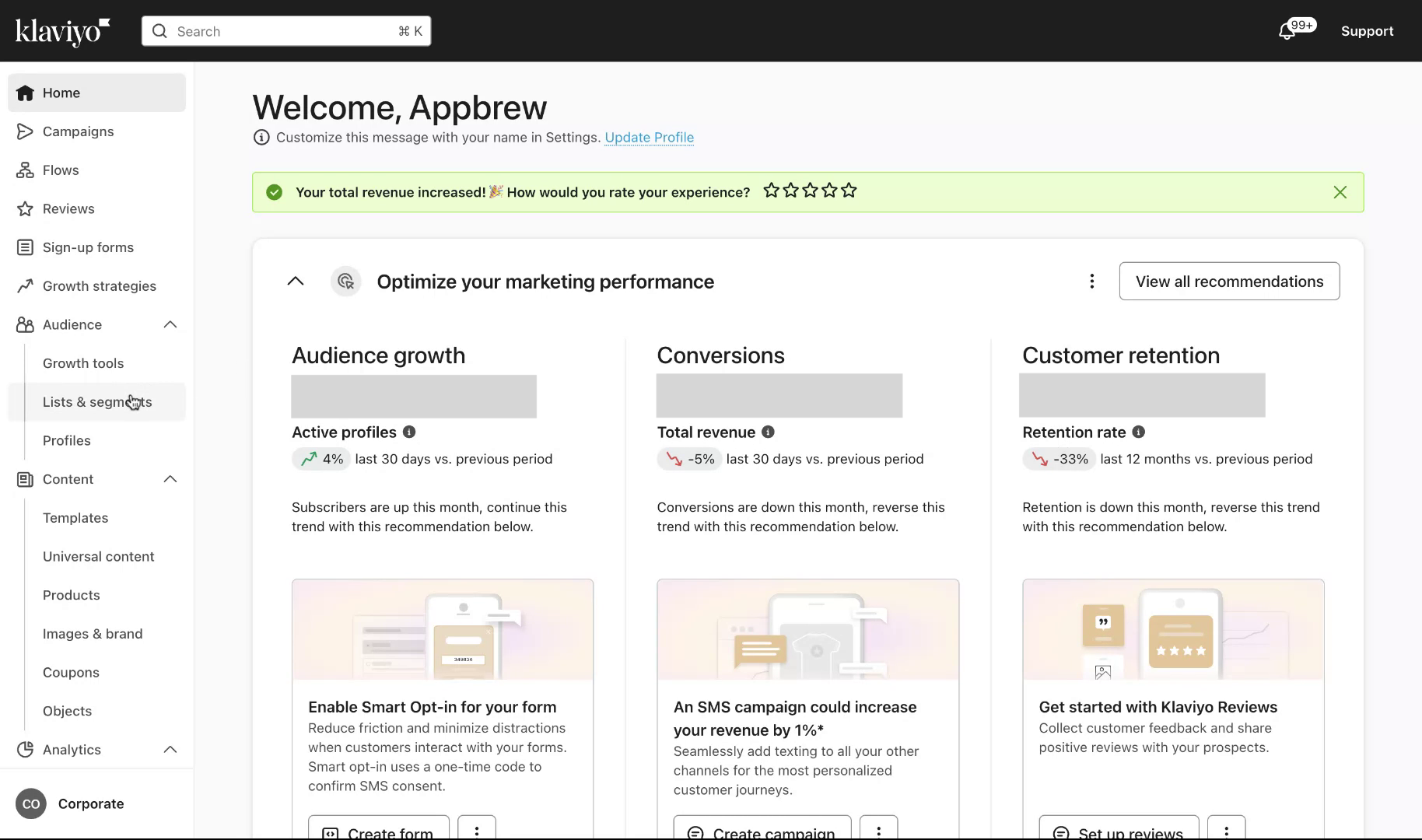
Begin by navigating to the 'List and Segments' section. Click on 'Create New' followed by 'Create Segment'.
Step 2
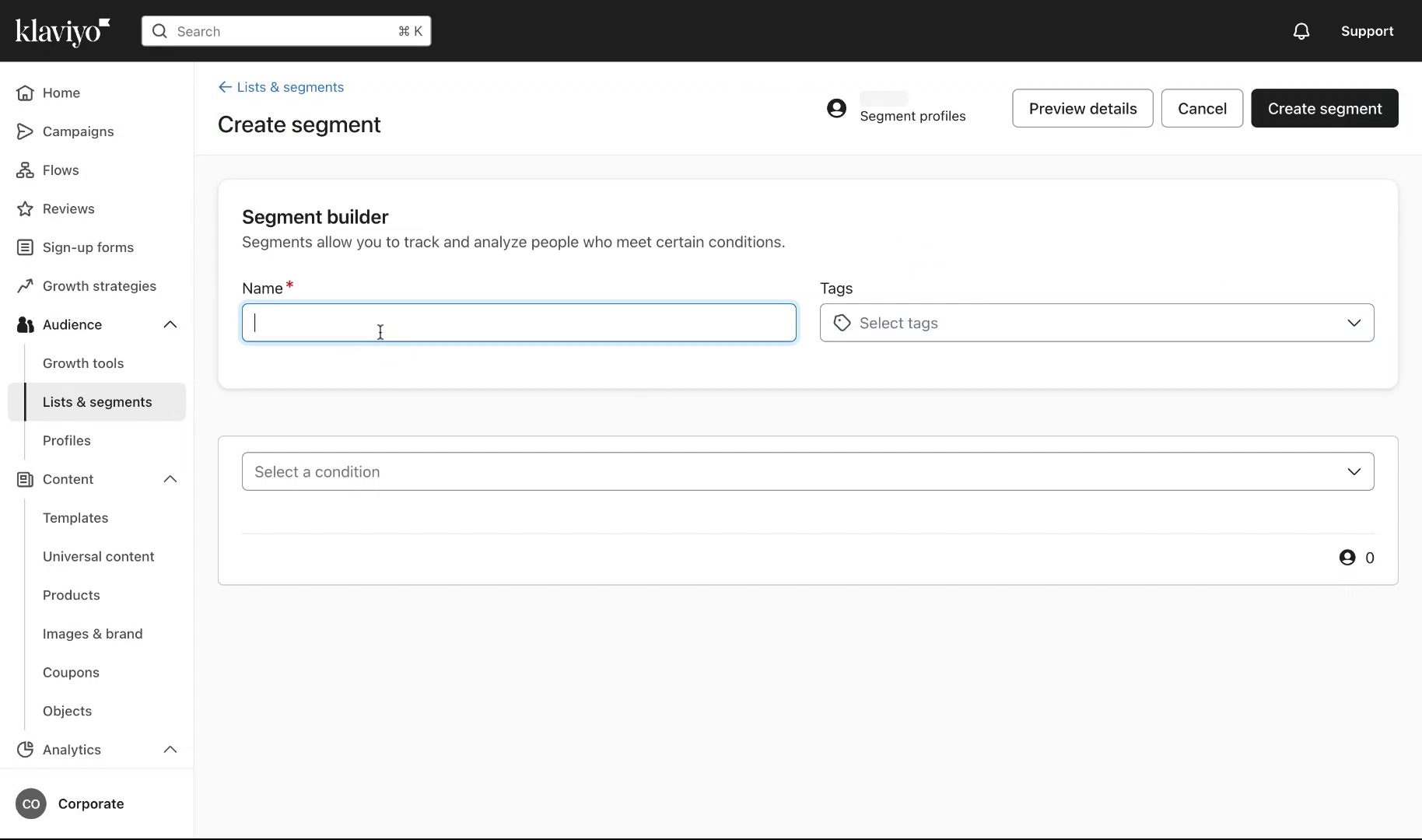
Assign a name to your segment, such as "Mobile App Push Subscribers App Group".
Step 3
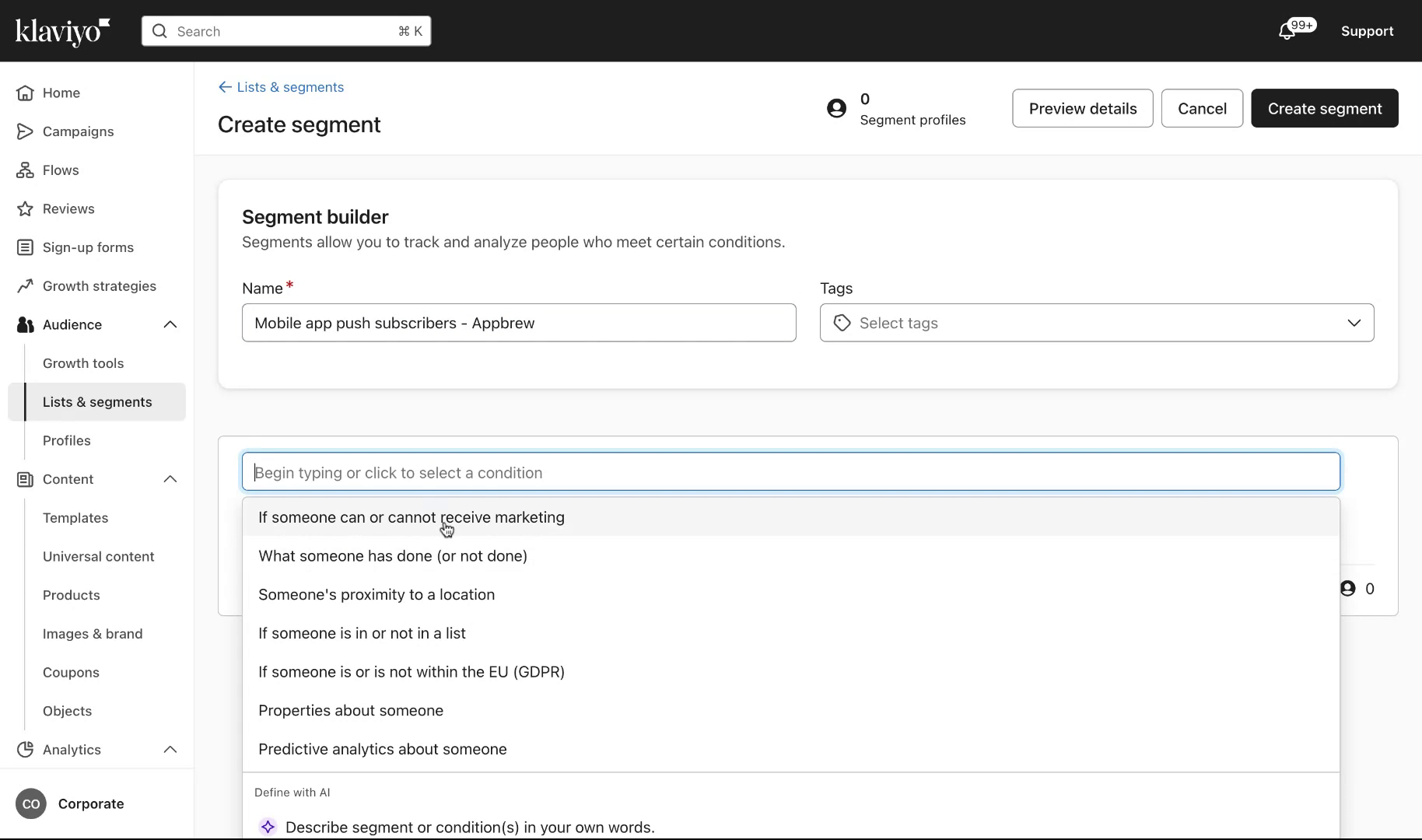
Select the condition to identify if a user can receive mobile marketing communications. Ensure the setting allows users who can receive mobile marketing.
Step 4
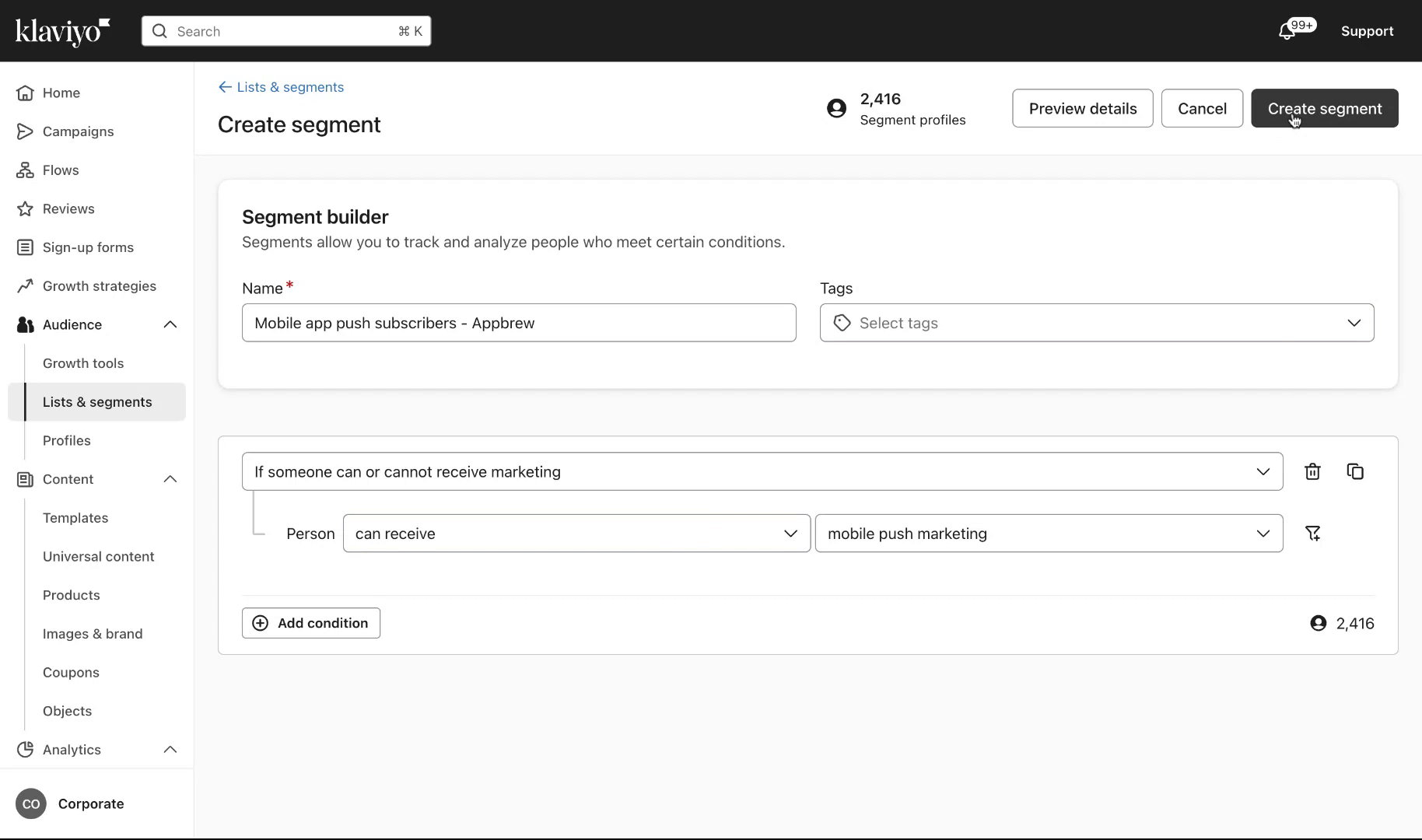
Review the count of eligible users for this segment displayed on the screen. Once confirmed, proceed to create the segment.
Step 5
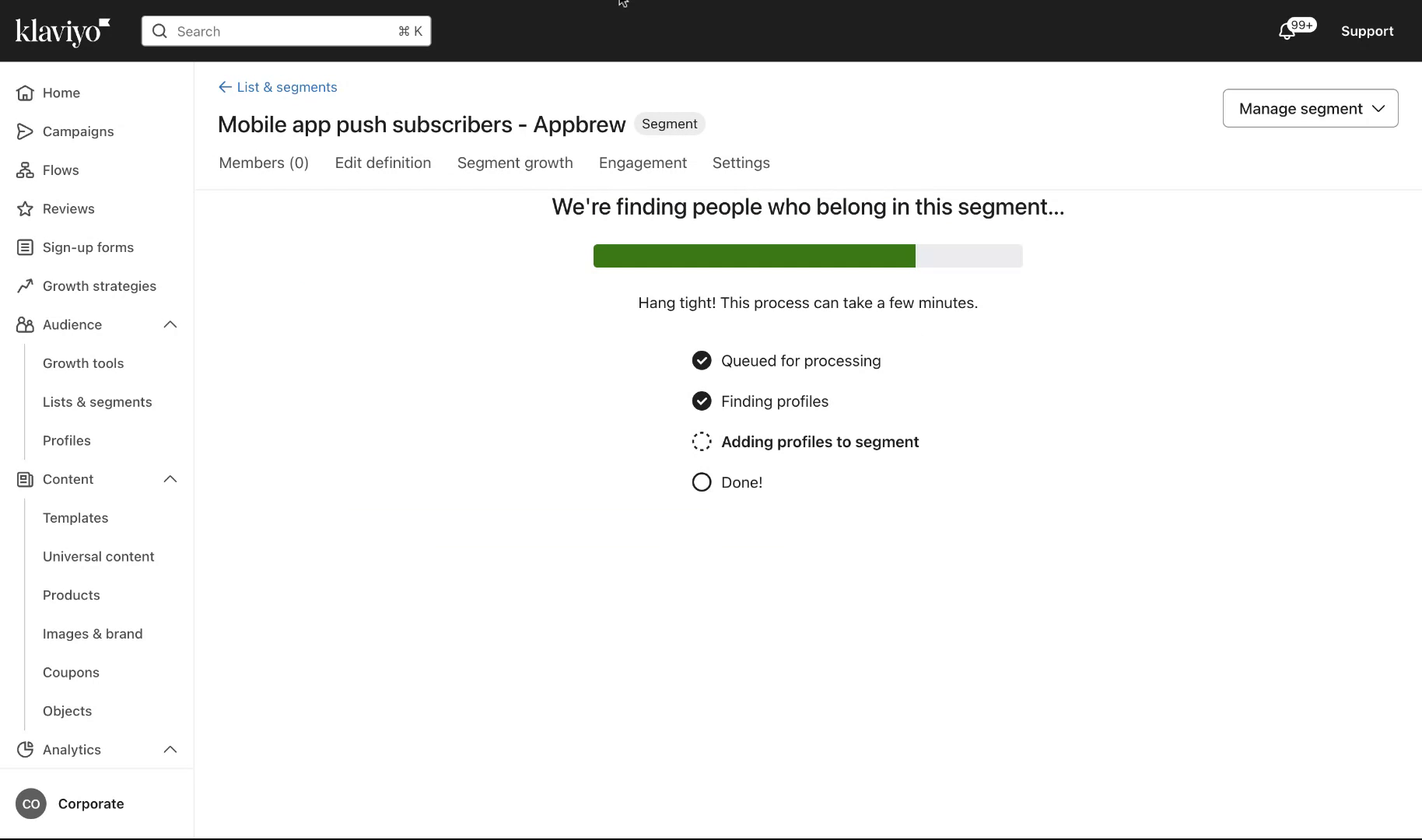
The system will take a few seconds to generate the segment using Klaviyo. Once completed, the segment is ready for use.
Refer Klaviyo's FAQ here - https://help.appbrew.com/articles/7522045022-klaviyo-faq