Apple Developer | Updated Agreements
Last updated: September 18, 2025
Apple regularly updates its terms of service for using the App Store platform. These updates usually occur several times a year.
Whenever a new agreement is released, only the account holder can review and accept it. Until the agreements are accepted, app updates to the iOS platform are blocked.
What You’ll Need
The account holder’s Apple ID credentials (email, password, and two-factor authentication)
Steps to Review and Accept Updated Agreements
Step 1: Sign in
Go to Apple Developer Account
Log in using the account holder’s Apple ID
Step 2: Locate Updated Agreements
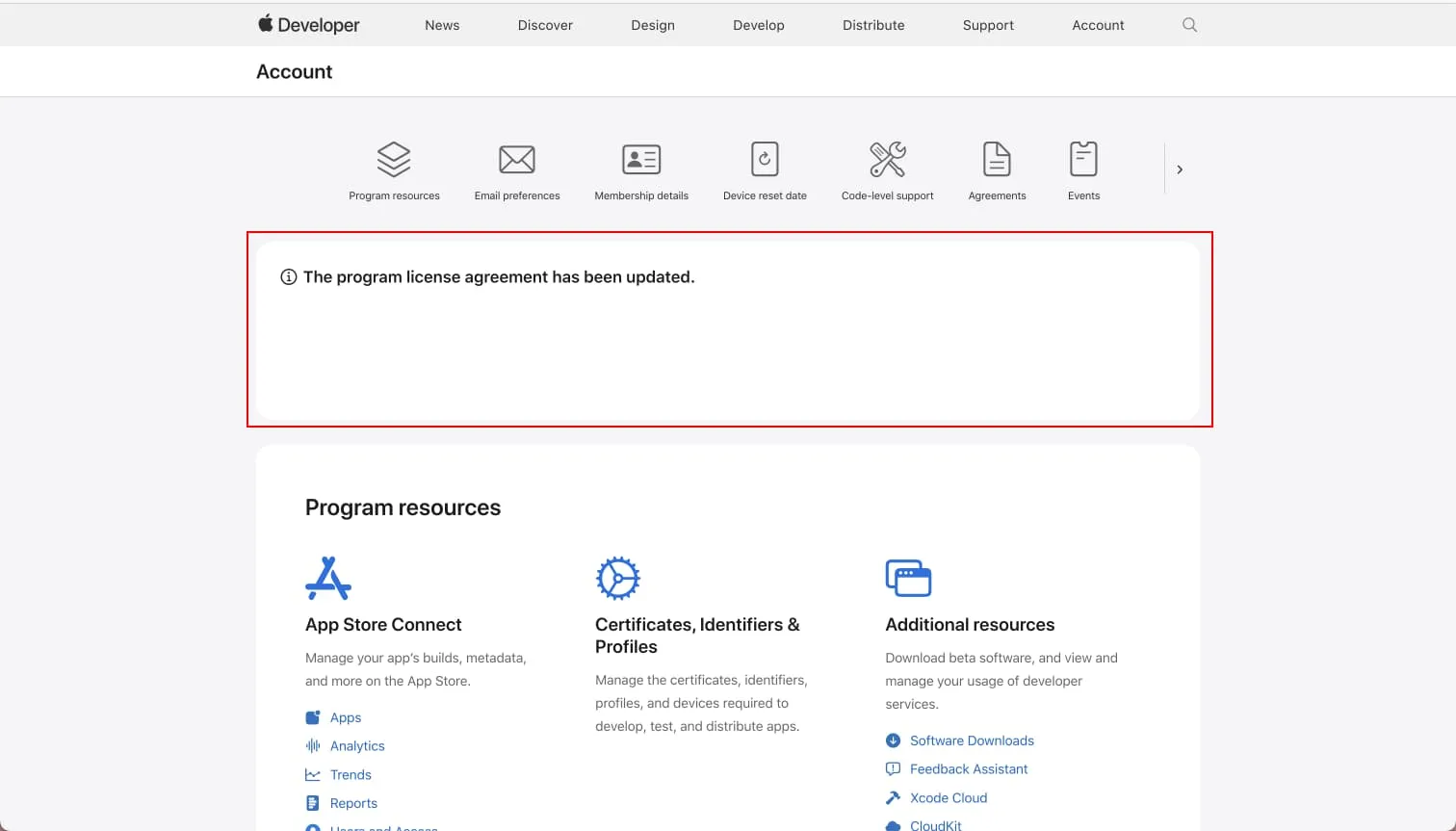
Once signed in, check the overview page at the top. You may see alerts such as:
Updated agreements
Apple Developer Program membership active/expired/renewal
Look for: “The program license agreement has been updated.”
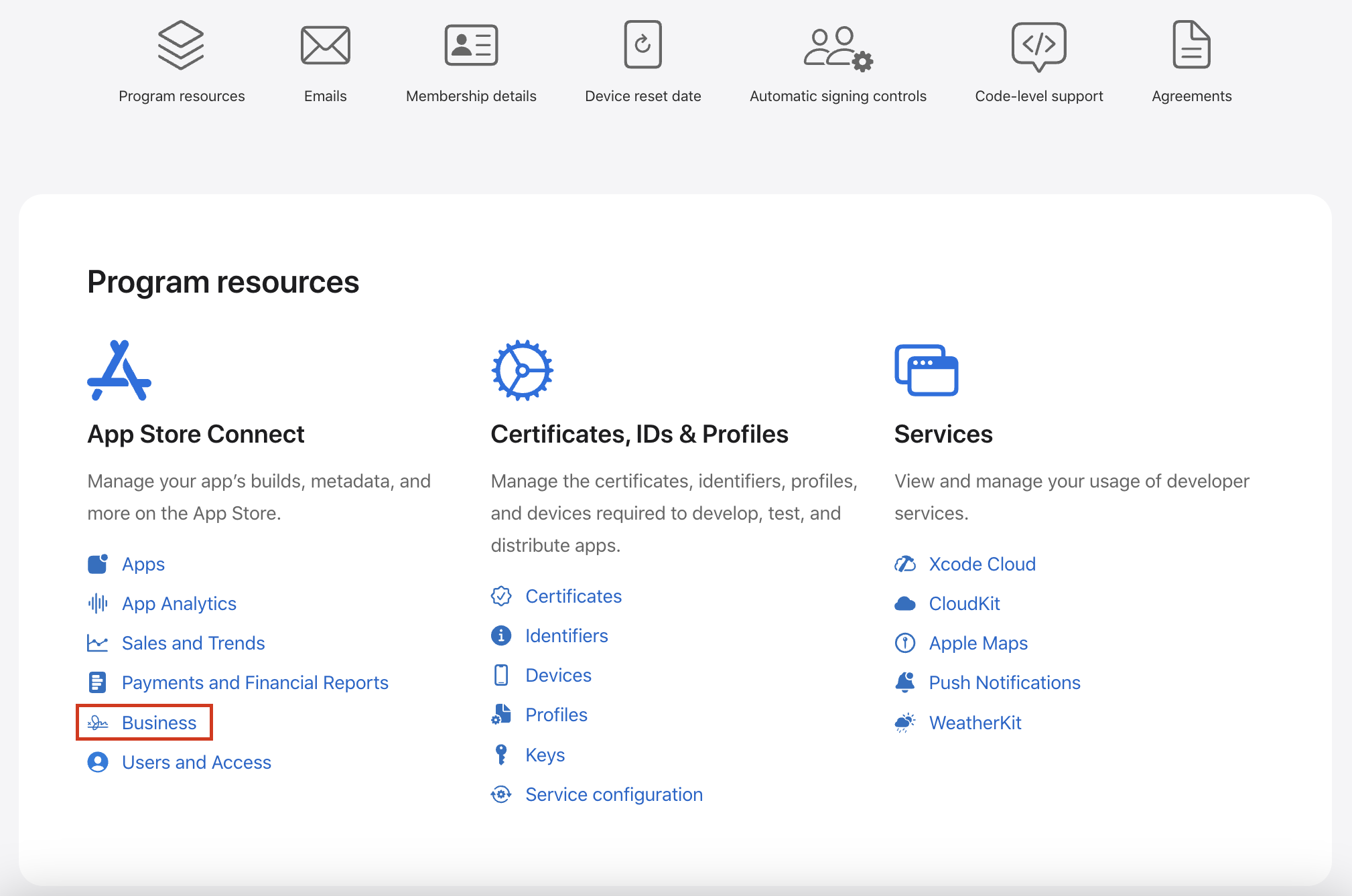
Click the link provided to access the Agreement page under the Business section
Alternatively, scroll down to Program Resources and click Business
Step 3: Review and Approve
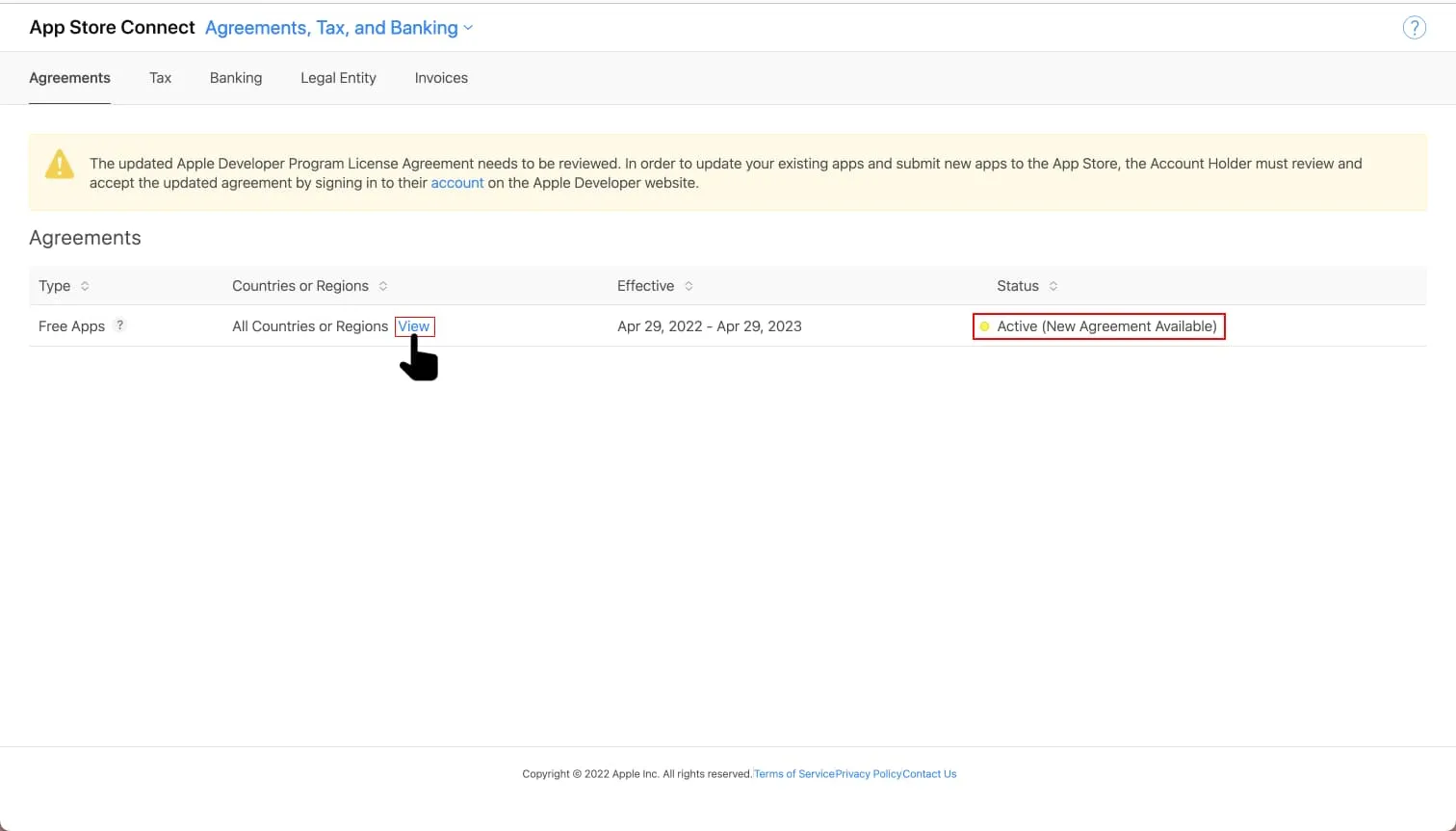
On the agreements page, you may see one or two agreements depending on your app setup:
Free Apps Agreement (mandatory)
Check the Status column:
If marked Active, no action is needed
If a new agreement is available, click View, review the details, and approve it
Important: Both Free and Paid Apps agreements (if applicable) must be accepted for your account to remain in good standing.
Once approved, your Apple Developer account will be updated, and you can continue managing your iOS apps without interruption.