How to enable Bundle discount for the app?
Last updated: July 13, 2025
Creating Bundling Discounts -
This document provides detailed instructions on creating and configuring discounts for your application. You'll learn how to apply automatic discounts, set promotional titles, configure bundle discounts, and schedule offers. Follow the steps to create and manage your discount offers successfully.
Step 1
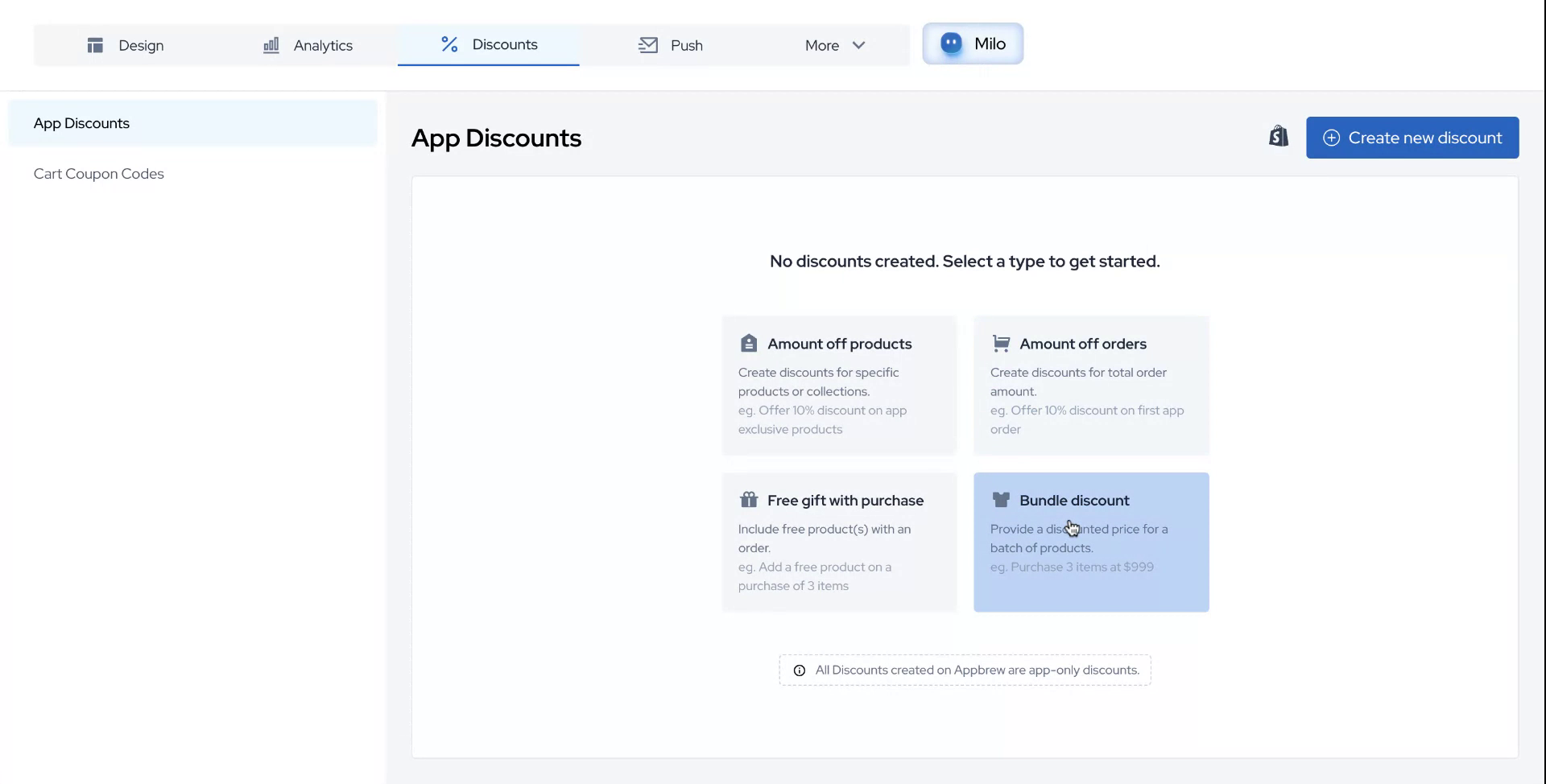
To begin, navigate to the designated section of your application and click on the block for discount creation. Here, you will find various methods and configurations available to set up the logic for your discount application.
Step 2
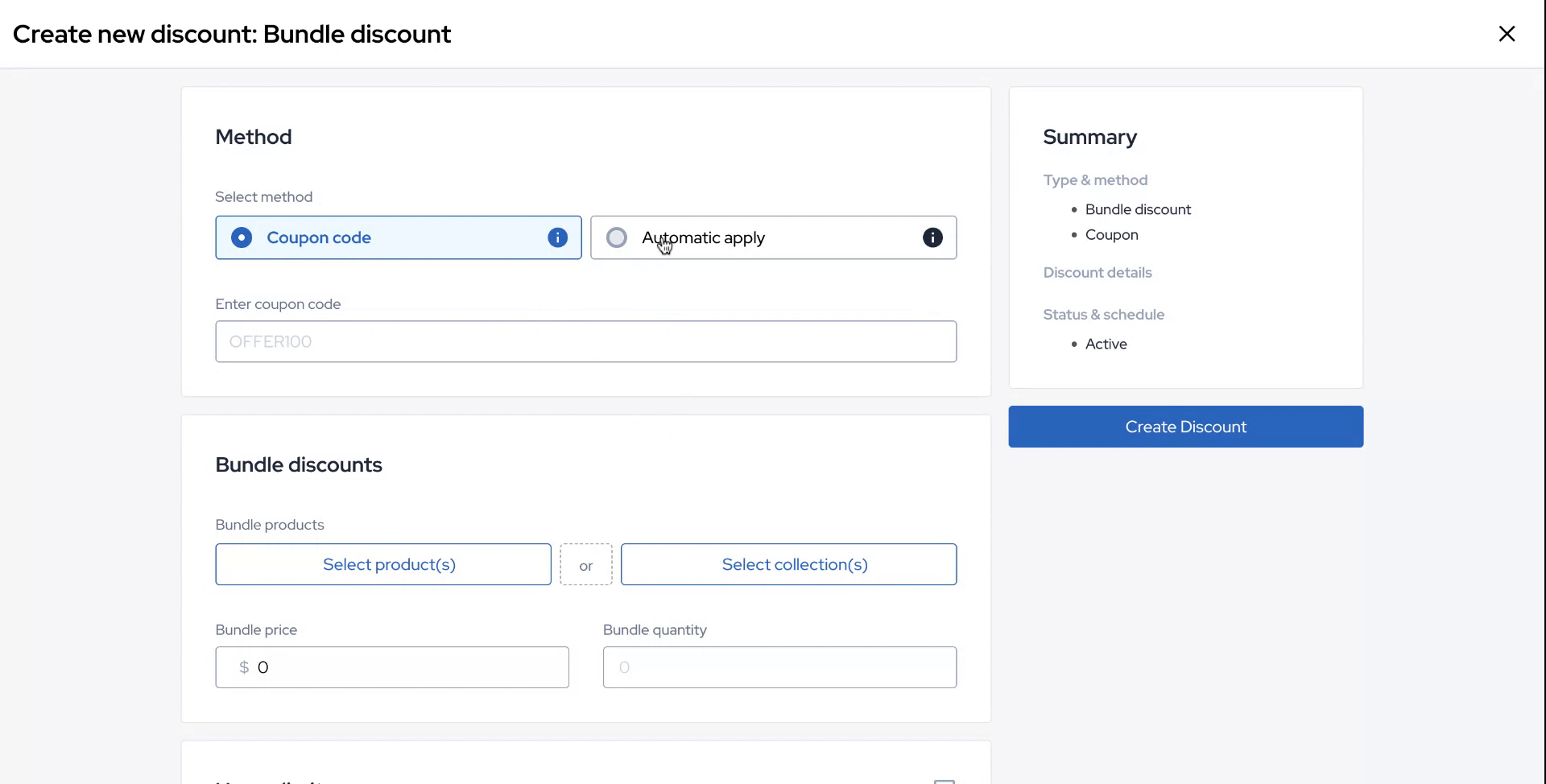
For this example, choose the "Automatically Apply" option as your preferred method.
Step 3
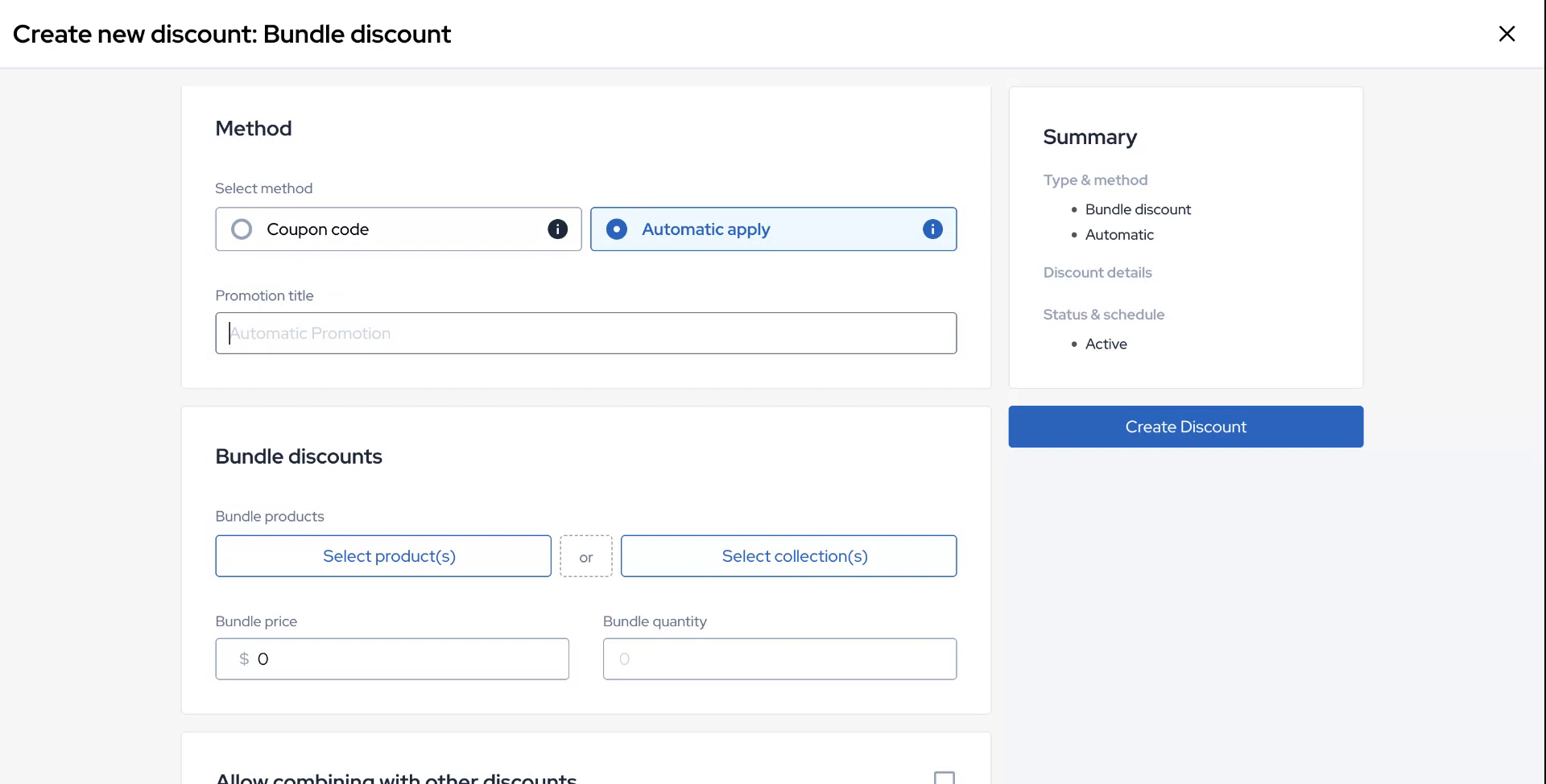
Assign a promotional title to the offer you are creating. In this case, we will set up an offer of "Buy three at a price of $4.99."
Step 4
Proceed to configure the bundle discount. This configuration can be done on either a product level or a collection level. For this example, we will choose a specific collection.
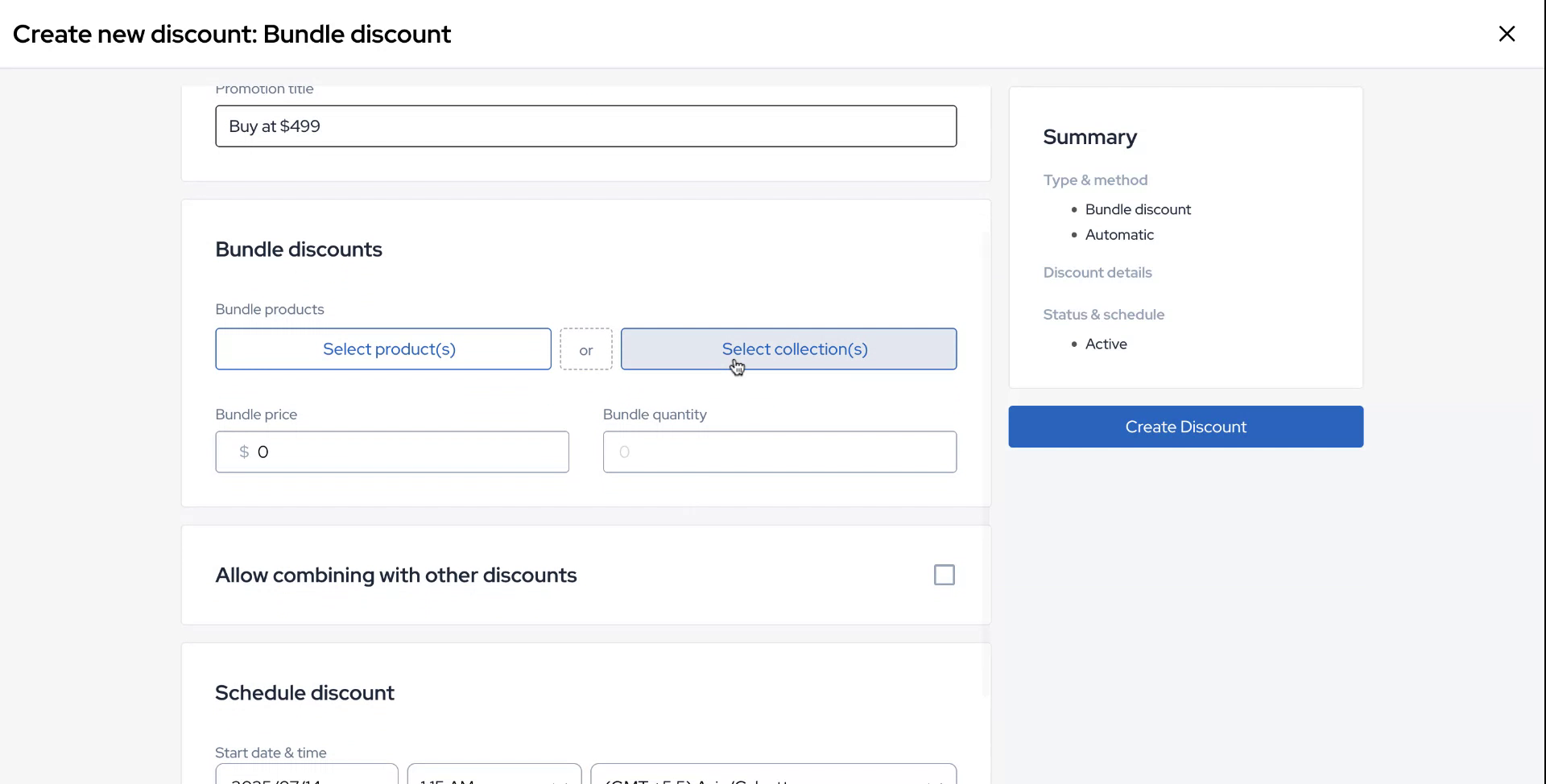
Step 5
Let's say you want to run an offer on a bottoms collection.
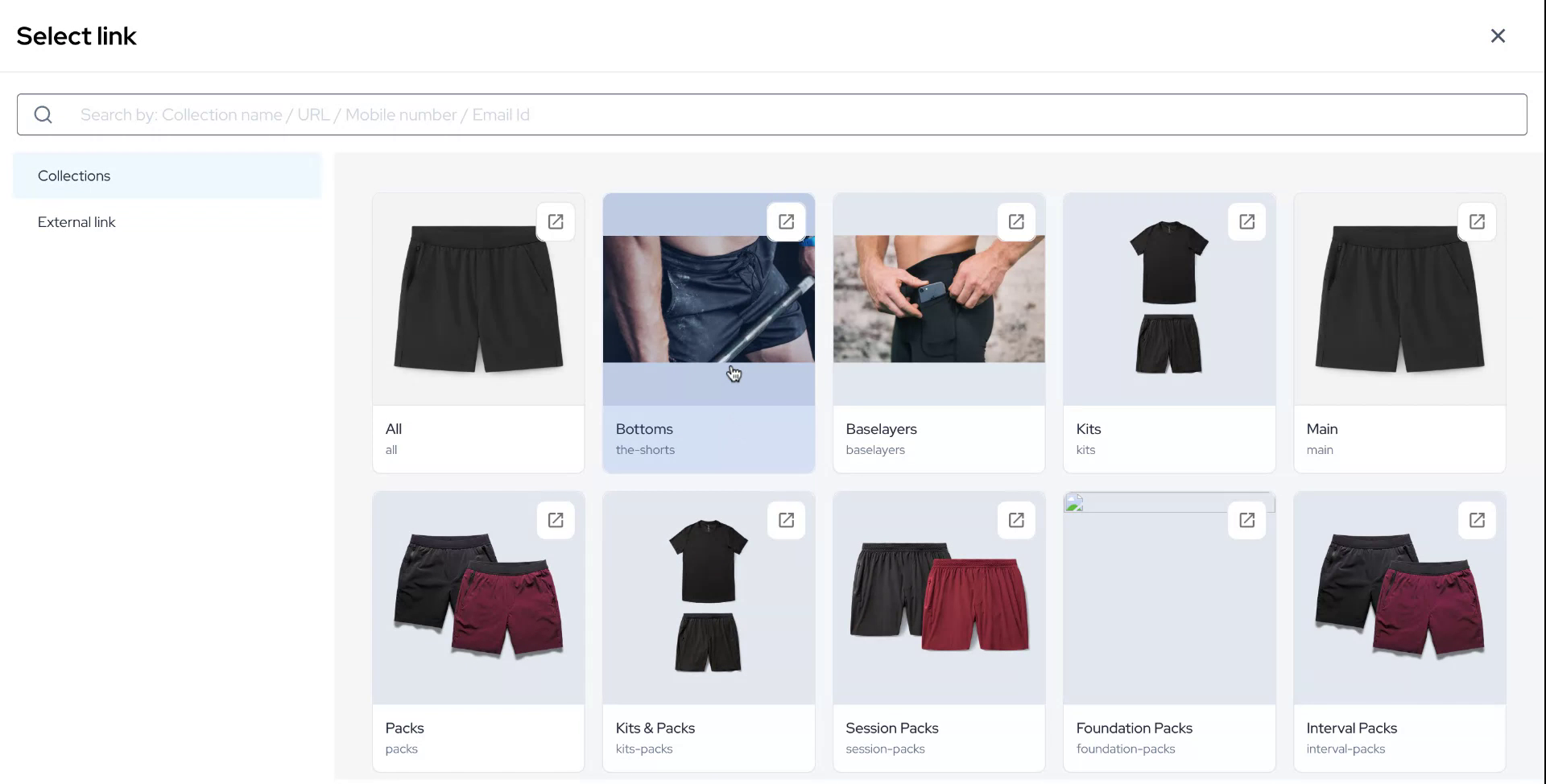
Step 6
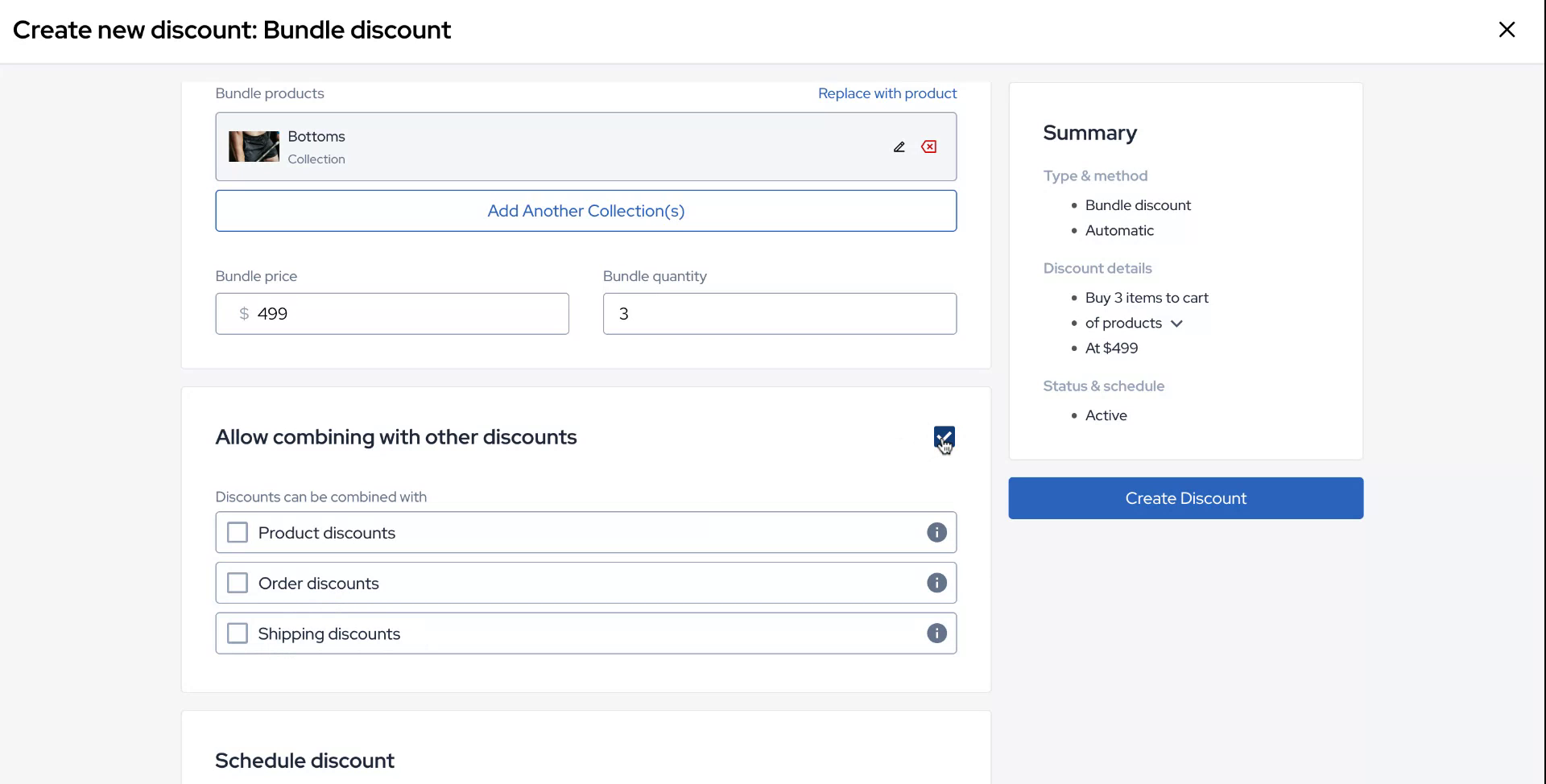
Select the collection page, and configure the price and quantity for the bundle.
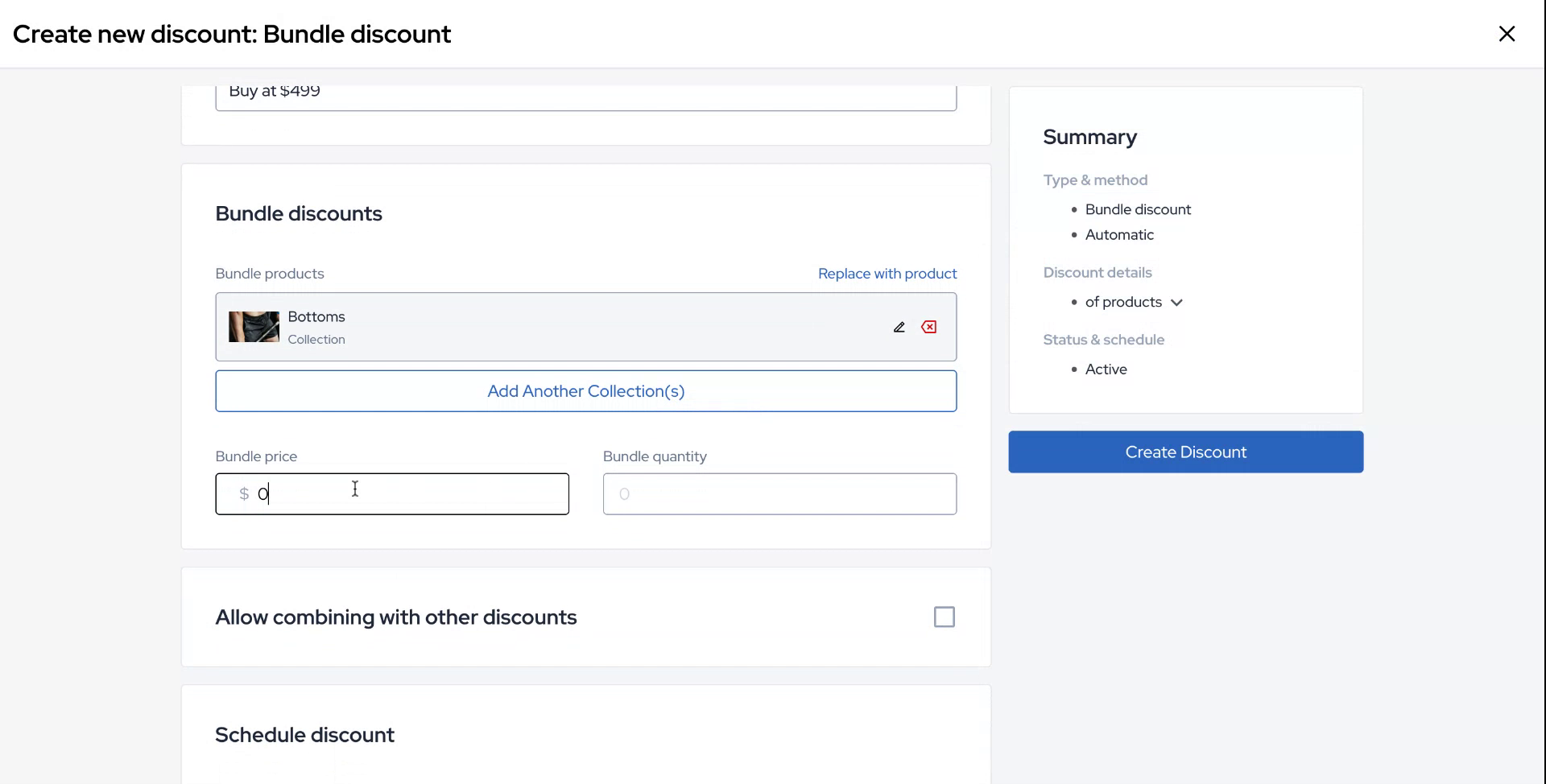
Step 7
There is also an option to configure logic for combining this offer with other discounts available in the backend.
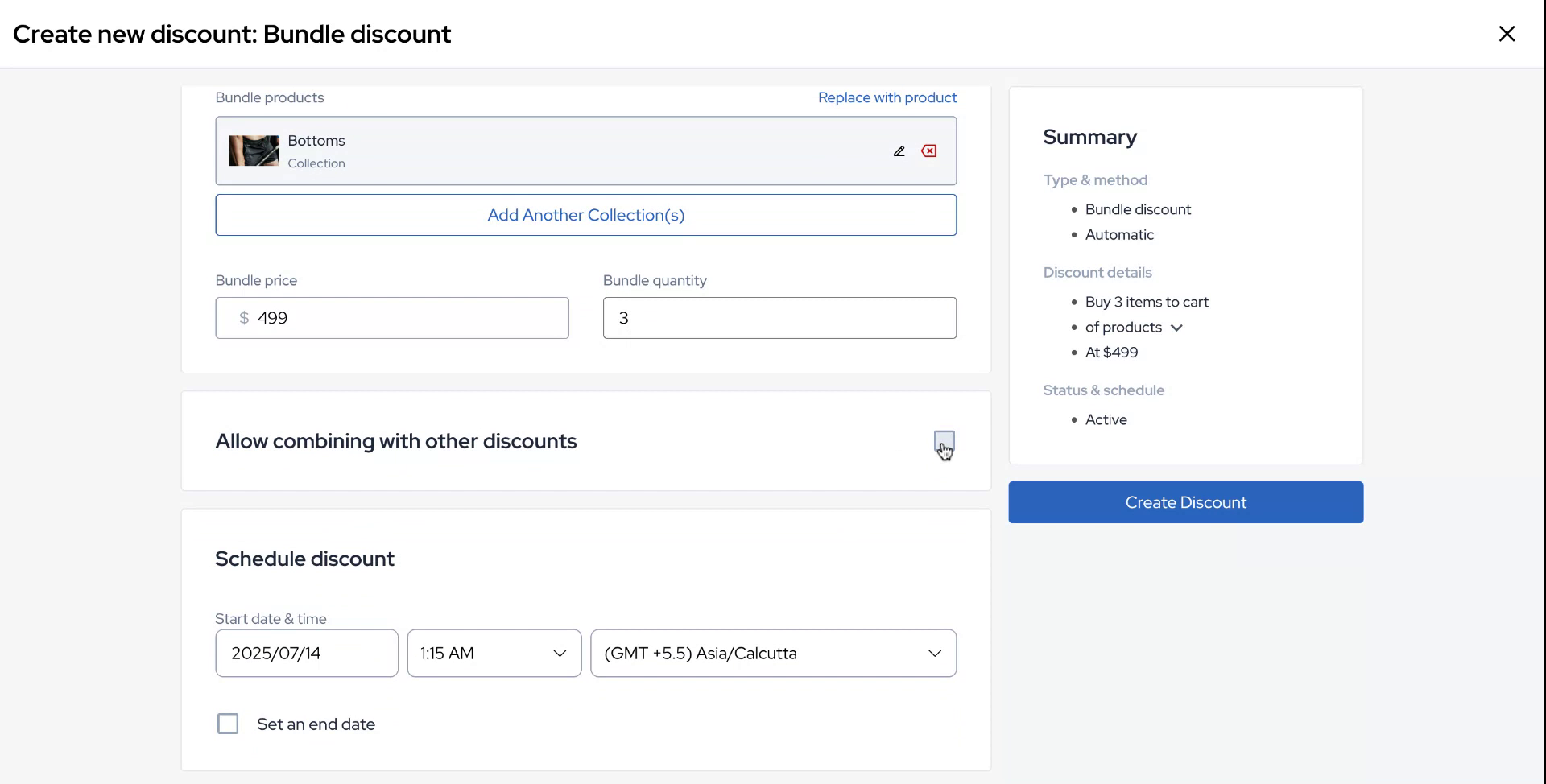
Step 8
These discounts include product discounts, order discounts, and shipping discounts.
Step 9
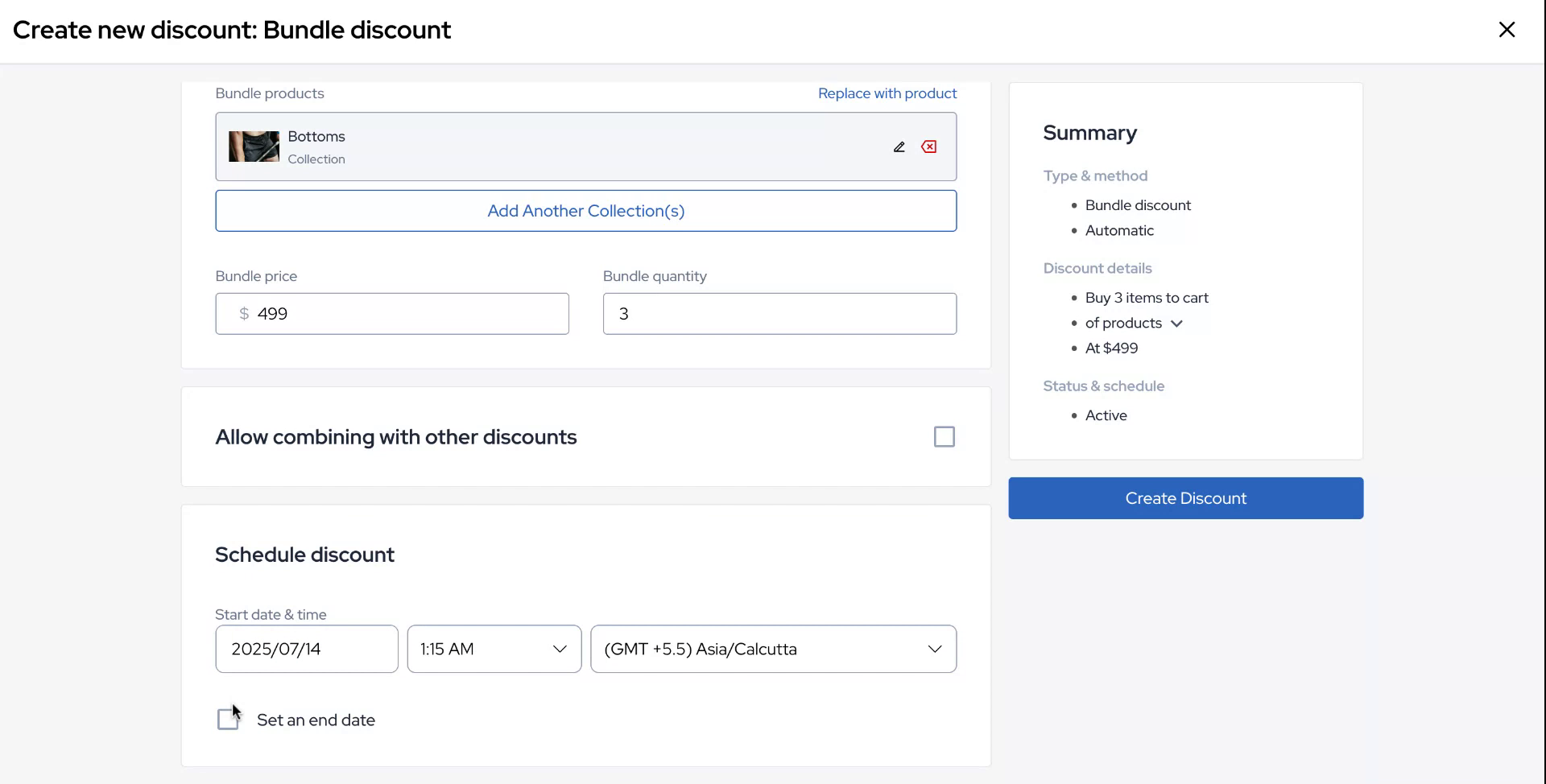
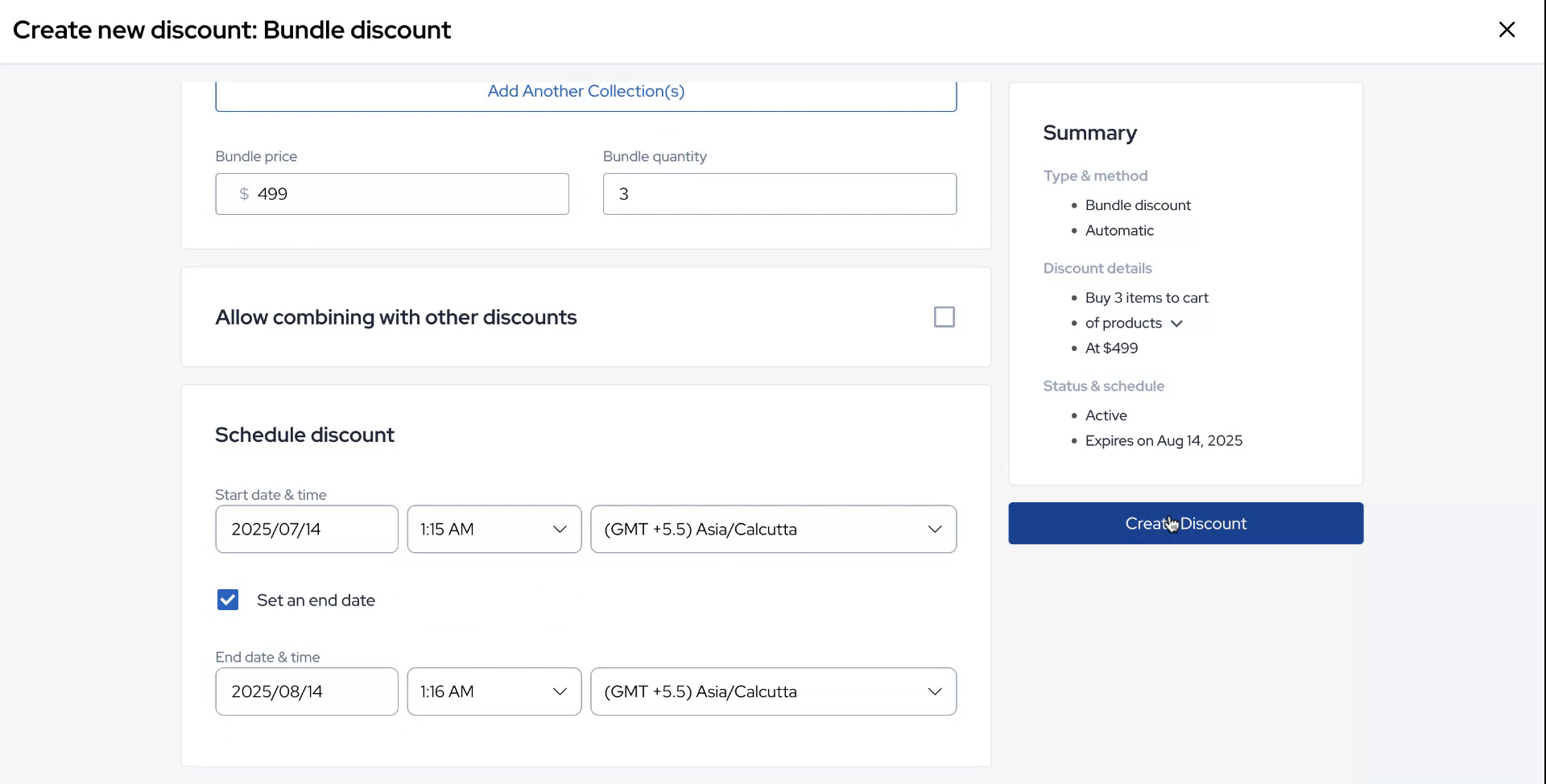
Next, you can schedule the discount timing, specifying a start date and a desired end date.
Step 10
Once all configurations are complete, click on "Create Discount" to finalize the process.
Step 11
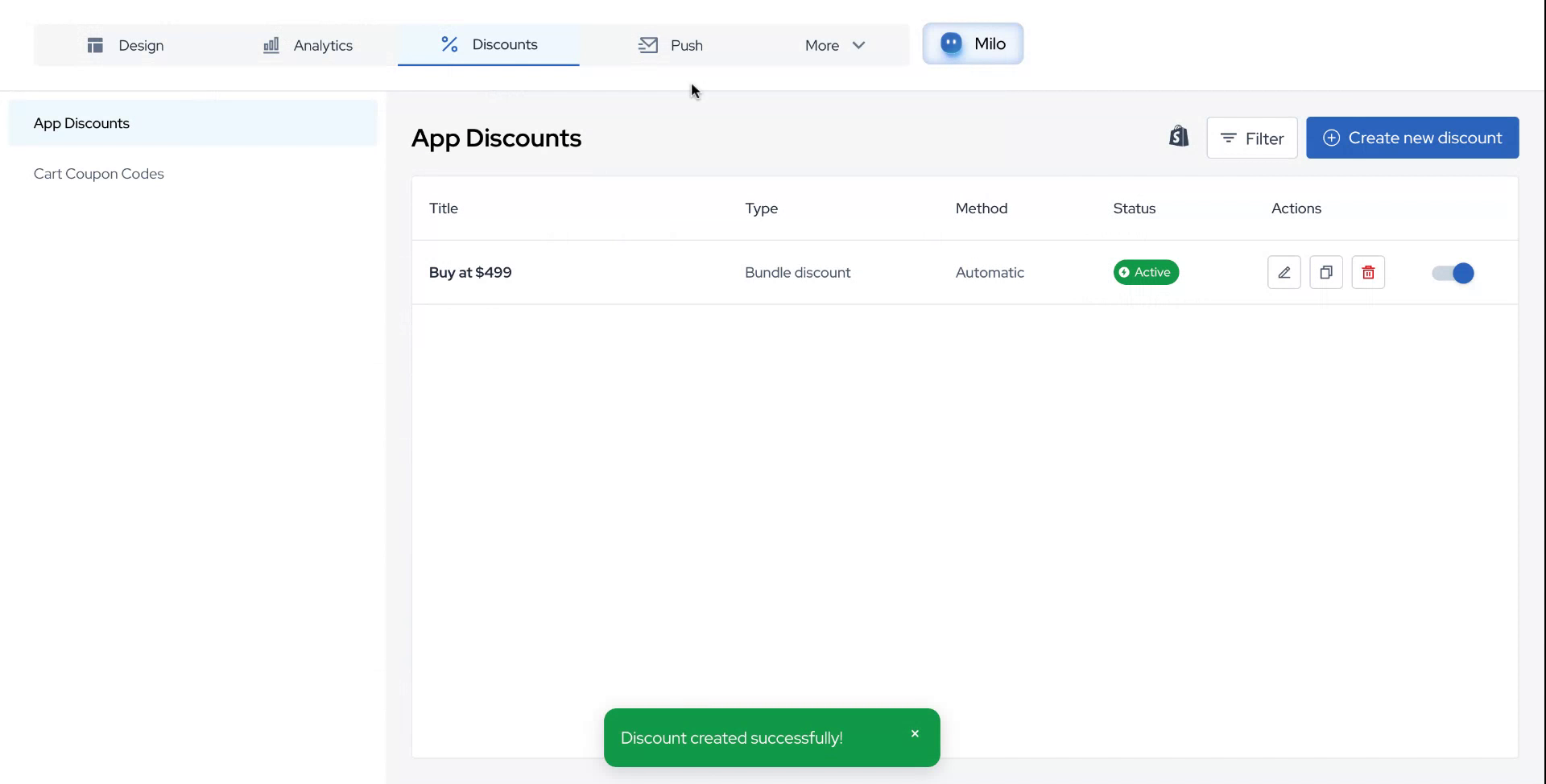
Your offer is now ready and active.