Appbrew x Shop Login
Last updated: July 20, 2026
Let customers sign in to your app with their Shop account
1. What is it?
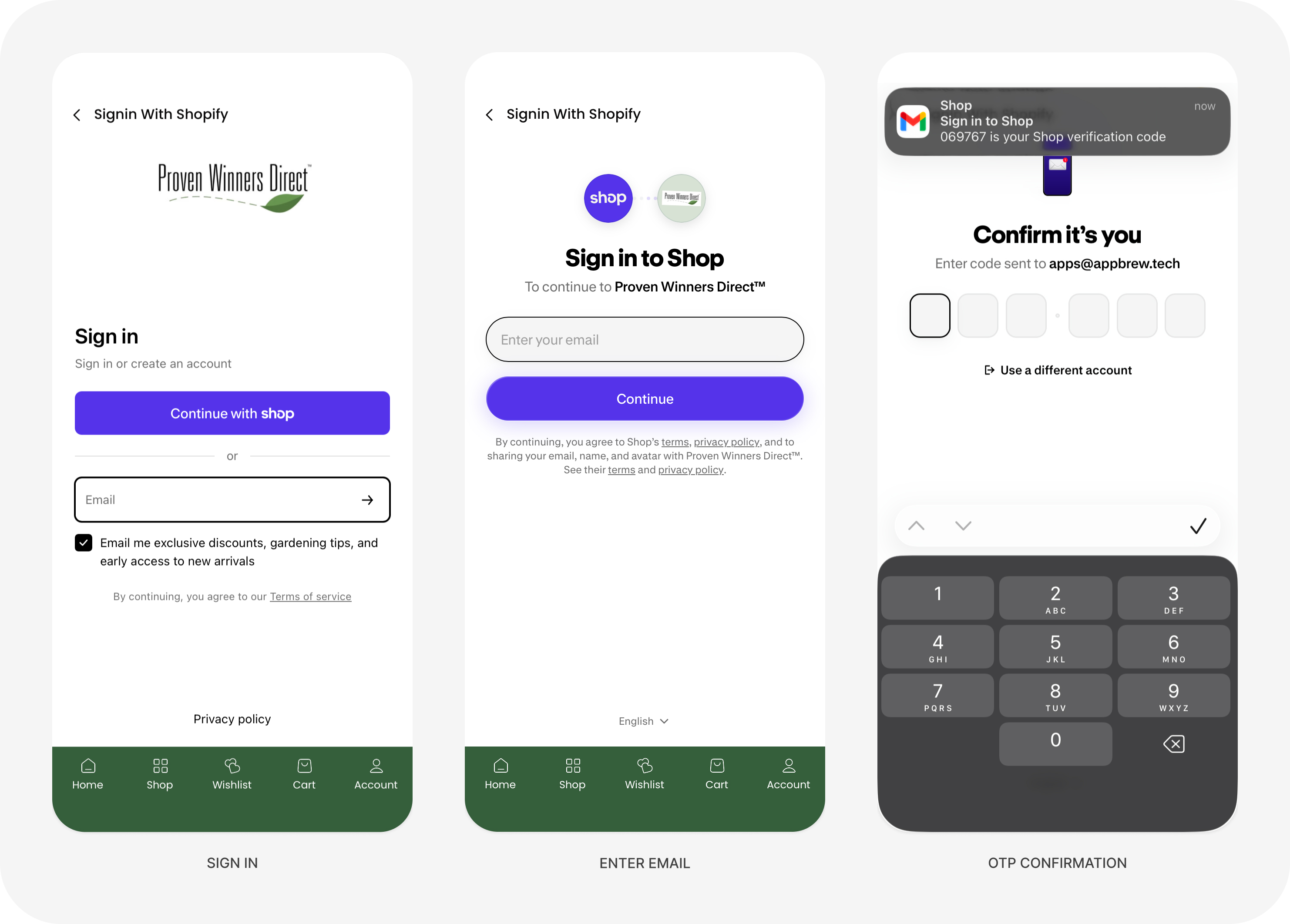
Shop Login lets your customers sign in to your mobile app using their Shopify Shop account — the same secure identity shoppers already use across Shopify stores. It gives returning customers a fast, familiar way to log in and keeps their account, orders, and details connected between your store and your app.
Under the hood it uses Shopify's official Headless sales channel to handle the login token exchange securely, so authentication runs on Shopify's trusted infrastructure. Key benefits:
Familiar, secure sign-in using customers' existing Shop accounts
Faster login for returning shoppers
Customer accounts and data stay in sync between your store and app
Built on Shopify's official Headless channel — no custom auth to maintain
2. Which plans is it available on?
Shop Login is available on all plans.
3. What's needed to enable it?
Setup happens in your Shopify Admin. Shop Login relies on Shopify's new authentication infrastructure and the official Headless channel for the secure token exchange, so all four steps below need to be in place.
Install the official Shopify Headless sales channel from the Shopify App Store. This is required for the Shop Login token exchange to work.
Where: Install it here — Shopify Headless on the App Store
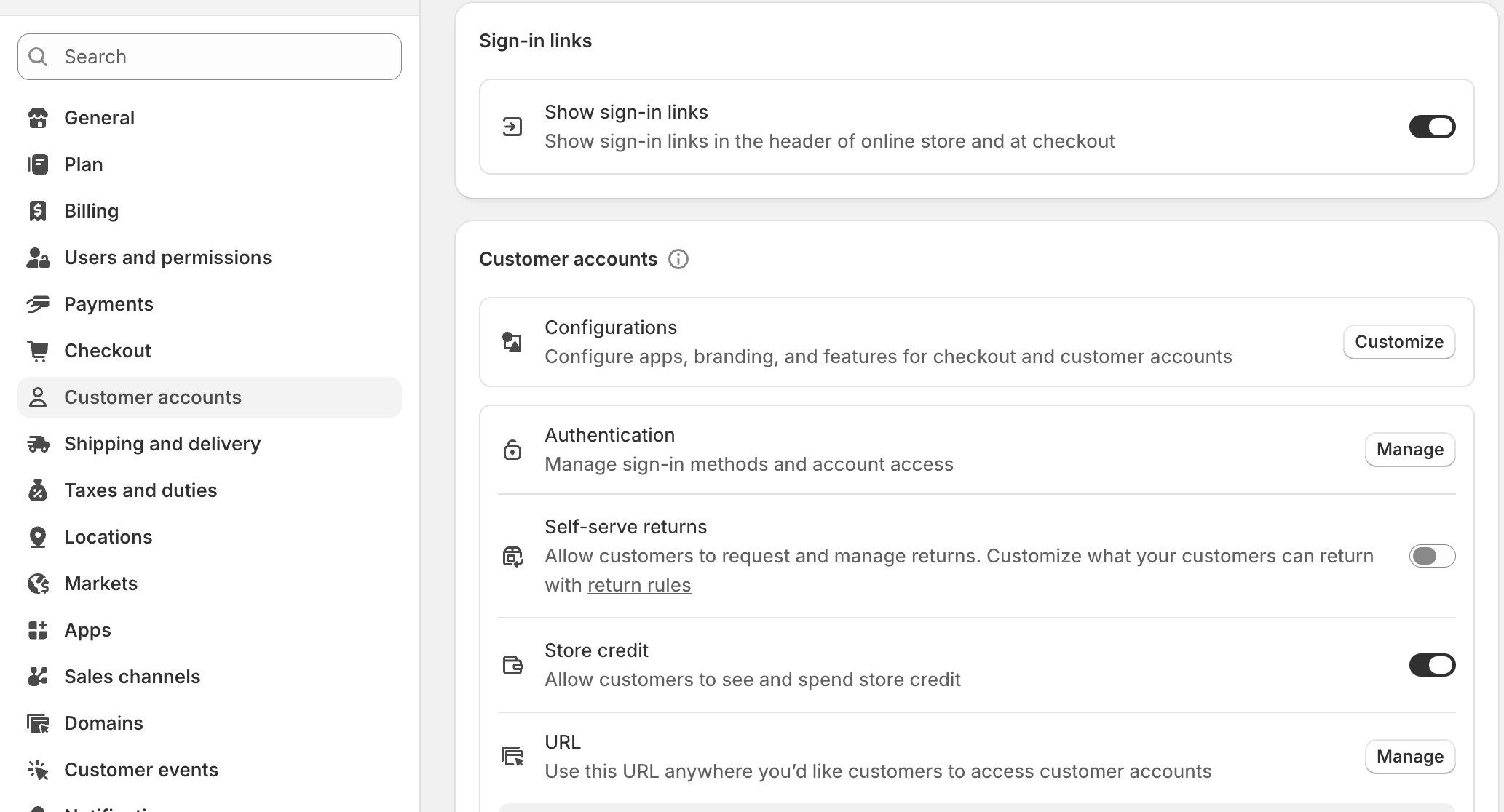
Switch your store to New customer accounts. Shop Login specifically relies on the new authentication system, not the legacy/classic accounts.
How to set it: Shopify Admin › Settings › Customer accounts → set the account version to “New customer accounts.”
Grant Storefront API access scopes in the Headless sales channel settings. These scopes let the app authenticate users and fetch customer data.
Where: Shopify Admin › Sales channels › Headless › (your storefront) → Storefront API permissions / access scopes.
Share the Headless app details with Appbrew — the Public Access Token, or confirm the Appbrew team has the permissions needed to access the Headless channel configuration.
4. FAQ
Why do I need the Shopify Headless app?
It's what securely handles the Shop Login token exchange between Shopify and your app. Without it, Shop Login can't authenticate customers.
Does this work with my current customer accounts setup?
Shop Login requires Shopify's “New customer accounts.” If your store is still on the legacy/classic accounts, you'll need to switch to the new version first, under Settings › Customer accounts.
Will customers' orders and details stay connected?
Yes. Because login runs through the customer's Shop account, their account, orders, and details stay in sync between your store and the app.
What do I need to give Appbrew?
The Public Access Token from your Headless channel, or confirmation that the Appbrew team has the permissions needed to access the Headless channel configuration.
Do I need a developer to set this up?
Your part doesn't require a developer — the prerequisites are completed in your Shopify Admin (installing the Headless channel, switching to New customer accounts, and granting Storefront API scopes). Once those are in place and you've shared the Headless access details, the Appbrew team enables Shop Login in your app on your behalf. You don't need to do any technical configuration beyond the Shopify-side setup above.