Enable multipass login on the Shopify Store
Last updated: October 15, 2025
Step 1
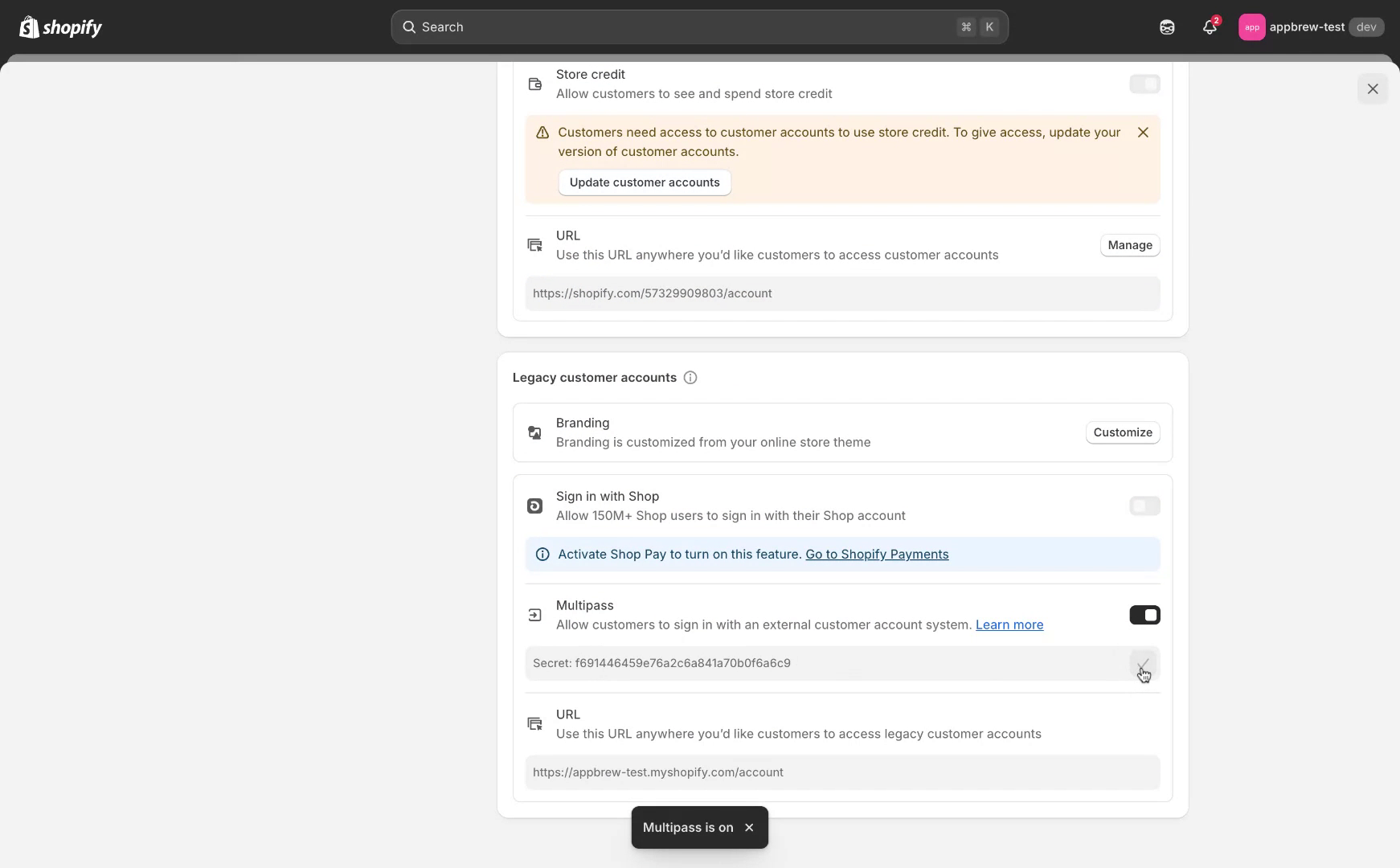
Begin by navigating to the settings of your application. Locate the section labeled "Customer Accounts" and select the "Legacy Customer Account" option. This is essential to proceed with enabling the multipass token.

Step 2
Please be aware that the multipass feature is unavailable for new customer accounts. To enable multipass, you must revert to a legacy customer account. Scroll to the bottom of the page, where you will find an option for multipass. Enable this option and input your secret key.
Step 3
Once the multipass token is enabled, copy the token and share it with the Appbrew team for further integration.